
Category: Internet

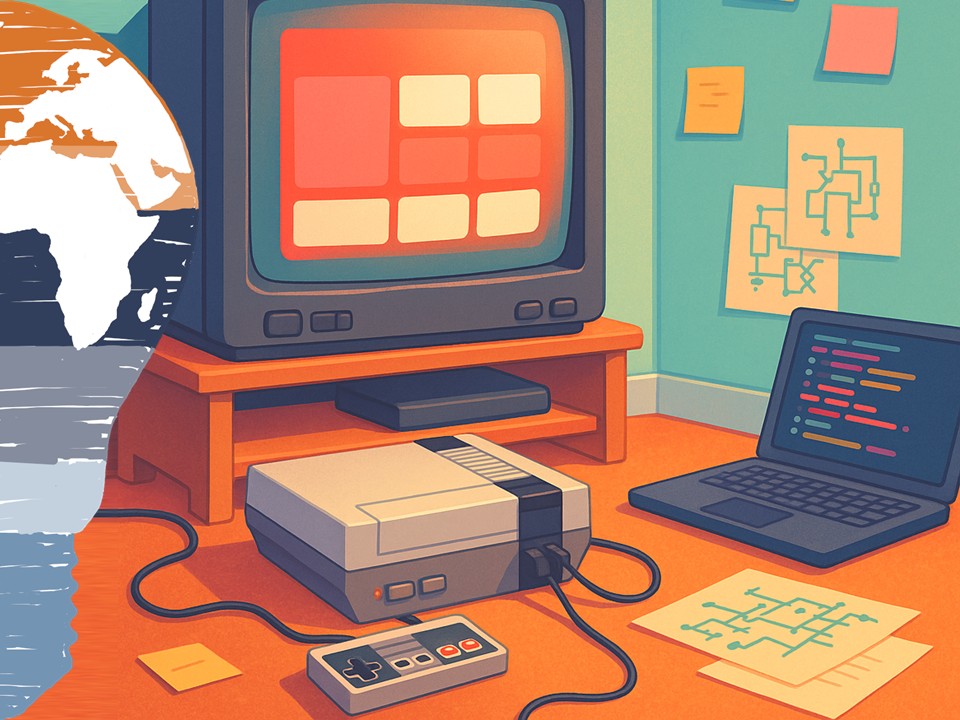
  • Netflix runs on NES, a love letter to engineering culture. 💾🎮

    Netflix runs on NES, a love letter to engineering culture. 💾🎮


    Netflix runs on NES, a love letter to engineering culture. 💾🎮


    Back in the late 80s and early 90s, my world was floppies, cartridges, and cathode-ray tubes. Today, I spend my time in the Microsoft cloud universe, but every now and then a story pops up that bridges both worlds so perfectly that I just have to smile.

    As part of a Netflix Hack Day in 2015, they stuffed a tiny, experimental Netflix client into an NES cartridge and made the 1980s console display a (very limited) version of the streaming UI. No, this was never meant for production. Yes, it was gloriously over-engineered. And that’s exactly why it matters.

    In a world where we talk about microservices, distributed systems, and cloud-native everything, this project is a reminder: at the heart of all that complexity are people who genuinely enjoy pushing boundaries just to see what’s possible.


    What it takes to stream a video on 1980s silicon


    From an engineering perspective, Netflix on an NES is a masterclass in constraints.

    You’re trying to make a modern streaming experience talk to a console that was designed for 8-bit games, not TCP/IP and adaptive bitrate video. That forces some fascinating architectural decisions:

    You have a tiny CPU, almost no RAM, and strict timing rules for rendering graphics to the TV. The console doesn’t know what HTTP is, let alone HTTPS. So you end up with a split architecture: modern networking and decoding on one side, the NES acting almost like a thin client on the other.

    In practical terms, this means:

    • You treat the NES like a deterministic graphics terminal.
    • You design ultra-lean protocols to ship only the data absolutely needed to draw UI states.
    • You squeeze rendering logic into a tiny footprint, where every byte and CPU cycle counts.

    This is the exact opposite of “just throw more resources at it.” It’s disciplined, creative engineering under extreme constraints. The kind of thinking that also helps when you’re optimizing real production systems—whether that’s a streaming service, an enterprise SaaS platform, or a high-scale API.


    Why these “useless” hacks are incredibly useful for teams


    On paper, an NES-based Netflix client doesn’t move any business KPI. It doesn’t ship to customers. It doesn’t bring in direct revenue.

    But for engineering organizations, experiments like this are pure gold.

    They create a playground where ambitious developers can:

    • Try ideas they’d never be allowed to introduce into the main product.
    • Touch different parts of the stack—from hardware constraints to protocol design.
    • Collaborate across disciplines (backend, graphics, tooling, UX) outside of normal silos.

    That’s how you keep top talent engaged. You don’t just give them tickets in a backlog—you give them room to explore. You let them build “impossible” things that make their inner 12-year-old geek grin. 😄

    Morale and motivation in engineering teams don’t come from posters on the wall. They come from moments like this: staying late at a Hack Day, watching a 30-year-old console render a modern UI and thinking, “We did that.”

    Those are the stories people tell new hires. Those are the screenshots they keep in their personal portfolios. And that energy inevitably spills back into the core product.


    What this says about modern software architecture


    Underneath the fun, the Netflix NES hack also says something deeper about how we design software.

    Modern software architecture is all about decoupling:

    • Decoupling frontends from backends
    • Decoupling logic from presentation
    • Decoupling clients from specific hardware platforms

    If you can make Netflix talk to an NES, what you’re really proving is that your core platform can be abstracted away from the device. The NES is just an extreme, retro example of a client.

    Change the wrapper, keep the core.

    That same pattern is at the heart of:

    • Multi-device experiences (TV, console, browser, mobile)
    • API-first product design
    • Experimentation with new interaction models (think wearables, embedded screens, cars)

    A hack like this is a playful stress test of your own architecture. If your service can adapt to something as bizarre as a cartridge-based console, you’re probably doing something right in your abstractions.


    Hacking as a culture signal, not just a side project


    There’s another angle I love here: this kind of experiment sends a message, both internally and externally.

    Internally, it tells engineers:

    • “We trust you to play.”
    • “We value curiosity and weird ideas.”
    • “We know not everything needs an immediate business case.”

    Externally, it tells candidates and the tech community:

    • “This is a place where you can build crazy things with smart people.”
    • “We care deeply about craft, not just shipping features.”

    If you want to attract and retain great engineers and architects, you need exactly that kind of culture. Compensation and tech stack matter, of course—but the ability to work on mind-bending side projects with colleagues is a huge differentiator.

    In a way, Netflix on NES is a recruiting poster disguised as a hack.


    Why this still matters beyond 2015


    Even framed in May 2015, this hack gives us a timeless lesson: the best engineering teams don’t just consume technology—they remix it. They connect eras. They let modern platforms talk to vintage hardware. They treat constraints as creative prompts, not blockers.

    Whether you’re building enterprise cloud architectures on Azure, designing highly scalable microservices, or just tinkering in your spare time: experiments like “Netflix on an NES” remind us why many of us fell in love with technology in the first place.

    Because sometimes, the most inspiring projects aren’t the ones that ship—they’re the ones that show what could be possible if we keep playing.

    Stay clever. Stay curious. Stay experimental.
    Your Mr. Microsoft,
    Uwe Zabel


    🚀 Curious how retro hardware, modern cloud services, and smart integration layers can work together? Follow my journey on Mr. Microsoft’s thoughts—where cloud, AI, and business strategy converge. Or ping me directly—because building the future works better as a team.
  • Play “The Legend of Zelda: A Link to the Past” in Your Browser – Nostalgia Gaming Meets Modern Web Tech

    Play “The Legend of Zelda: A Link to the Past” in Your Browser – Nostalgia Gaming Meets Modern Web Tech


    Play “The Legend of Zelda” in Your Browser
    Nostalgia Gaming Meets Modern Web Tech


    You know that feeling when an old melody from your childhood suddenly plays and your brain instantly teleports back 20+ years? That’s me every time I hear the Zelda intro theme. 🧝‍♂️🎶

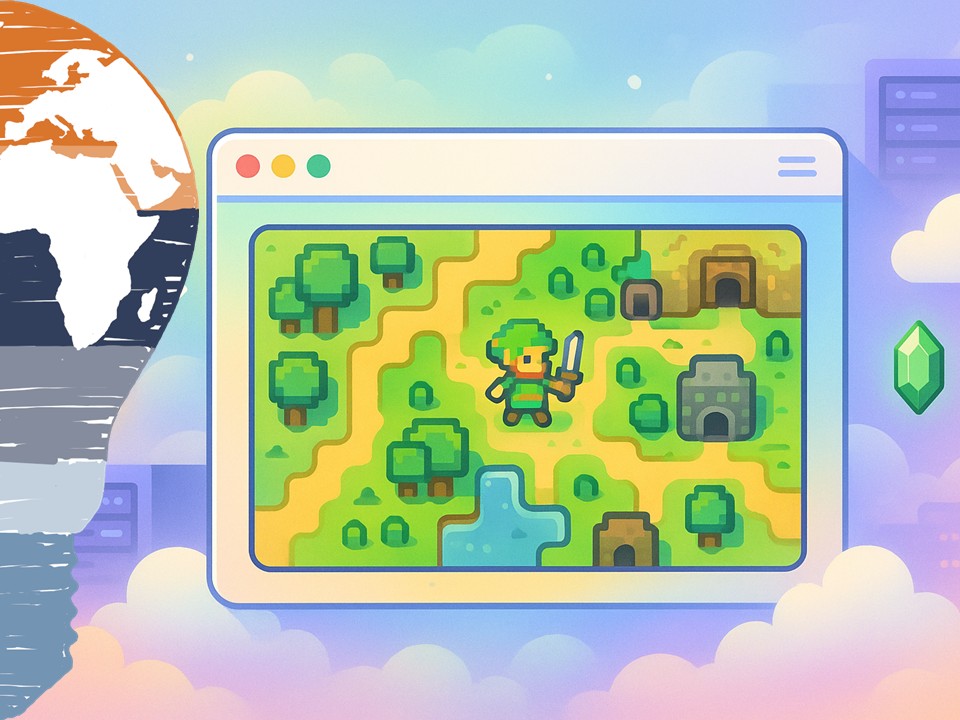
    Many of us grew up saving Hyrule one dungeon at a time – and suddenly realize in 2025 that those pixelated adventures are still very much part of our DNA. The fun twist today: you don’t need an old SNES or even a Switch Online subscription to revisit them. You can literally fire up The Legend of Zelda: A Link to the Past… in your browser. 🎮

    If you love A Link to the Past as much as I do, Head over to:

    Play The Legend of Zelda Online

    Welcome to Hyrule-as-a-Service.

    blank

    Zelda in the browser:
    nostalgia meets web technology


    Playing A Link to the Past in the browser is more than “oh cool, it runs in EDGE.” It’s a beautiful collision of three things I really care about:

    • timeless game design
    • the evolution of web technology
    • and digital preservation

    In the 90s, A Link to the Past squeezed an entire epic into a 16-bit cartridge. Today, modern JavaScript, HTML5 canvas, and clever emulation techniques can recreate that same experience inside a tab. Alongside your Outlook Web, Azure Portal and Teams window.

    For me, that’s the magic: the same browser I use to design cloud architectures and write about Microsoft technology is now also a time machine back to my childhood Hyrule. No extra hardware, no emulator installation marathons. Just click, load, play.

    Don’t get me wrong. There are a lot of browser games these days. But this one especially bridges the time for me back to my childhood. And therefore makes it so christal clear how technology has been evolved.


    From cartridges to canvas:
    why this is technically exciting


    From a technologist’s point of view, running a 90s console classic in the browser is a brilliant showcase of how far the web platform has come. Back when A Link to the Past launched, a website was mostly text and a few images. Today, the browser is effectively a cross-platform runtime:

    • JavaScript drives the game logic and emulation
    • HTML5 canvas (and sometimes WebGL) handles rendering
    • Modern browsers provide input, audio, and performance that’s “good enough” for fast-paced games

    The HTML5 Zelda map project The Verge highlighted back in 2015 already showed the potential. A fully scrollable, zoomable view of Hyrule, rendered in the browser with no plugins, no Flash, no Java applets. Just standards-based web tech.

    Now, combine those techniques with ROM emulation in JavaScript and you move from “map viewer” to “fully playable game.” That’s not just fan service – it’s a demonstration of how flexible and powerful the browser has become as a universal application layer. The browser has become the primary stage for modern user interfaces – powering both consumer applications and bespoke enterprise software.


    Why replaying A Link to the Past still matters


    You could argue:

    “Uwe, we have Tears of the Kingdom. Why bother with a 16-bit top-down Zelda?”

    Because A Link to the Past is basically game design in its purest, most elegant form. No overwhelming skill trees. No 200-hour open world. Just:

    • clear progression
    • smart dungeon puzzles
    • tight combat
    • and a world that feels handcrafted screen by screen

    Playing it again – this time in a browser – is like looking at the blueprint behind modern Zelda titles. You can see the DNA that would later grow into Breath of the Wild and Tears of the Kingdom. The dual-world mechanic, the non-linear exploration, the feeling that curiosity always gets rewarded. This game was a pioneer in so many ways. And the basic story is still the same in modern Zelda titles.

    And because it runs in a tab, it becomes a low-friction “coffee-break game”:
    Ten minutes of Hyrule between two Teams calls.
    One dungeon after you finish that PowerPoint.
    A quick detour to Kakariko instead of doom-scrolling LinkedIn.

    That blend of deep nostalgia and modern convenience is surprisingly powerful. Okay, the keyboard controls are a bit clumsy. But for a quick detour through old memorys it is enough.


    What this says about the future of games and the web


    For an IT person like me, The Legend of Zelda running in the browser is more than a fun nostalgia hack. It’s basically a metaphor for application modernization. We’re taking something built for very specific infrastructure and giving it a new life on a completely different platform. Without losing the soul of the original meaning.

    In the enterprise world, we’re doing exactly the same thing with our business apps:

    • We decouple software from fixed infrastructure and move it into containers, PaaS services, WebApps, and managed databases.
    • We turn thick clients into browser-based frontends running on Azure, often wrapped with modern identity, observability, and security.
    • We preserve the core logic and data model, while updating UX, integration patterns, and automation capabilities.

    Zelda in the browser is the retro cousin of that story. The experience matters more than the box it originally shipped in. A good game – just like a good ERP module, a pricing engine, or a custom LOB app – should be able to outlive the platform it was born on. From a pure technology and preservation standpoint, the idea that your childhood adventure and your modern cloud-native workloads can coexist in the same browser window is… kind of wonderful. 💾


    Why this hits home for a lifelong Zelda nerd


    I’ve been playing Zelda since I was young – from the 16-bit era all the way to Breath of the Wild and Tears of the Kingdom. The shift from pixel-perfect 2D to massive open-world sandboxes on modern hardware has been incredible to watch.

    But in my heart, there will always be a special place for that overhead view, the spin-attack, and the feeling of unlocking a new piece of the map one room at a time.

    So when I can open my browser, jump to classicjoy.games, and walk across Hyrule Field without dusting off old hardware… that’s not just nostalgia. It’s proof that good design, supported by evolving technology, can remain accessible for decades.

    And honestly? That gives me hope – not just for games, but for all the digital experiences we’re building today on Azure, Microsoft 365, and the modern web. If we do it right, the things we build now might still be meaningful, and playable or usable, for the next generation.

    Stay clever. Stay nostalgic. Stay playable.
    Your Mr. Microsoft,
    Uwe Zabel


    🚀 Curious how retro games, modern browsers, and cloud-first experiences intersect? Follow my journey here on Mr. Microsoft’s thoughts—where cloud, AI, and business strategy converge.
    Or ping me directly—because building the future (and preserving the past) works better as a team.

  • Cloudflare Outage: What Went Wrong And What It Means For Modern Cloud Architectures

    Cloudflare Outage: What Went Wrong And What It Means For Modern Cloud Architectures


    Cloudflare Outage: What Went Wrong And What It Means For Modern Cloud Architectures


    When one config file sneezes and half the internet catches a cold, you know you’ve had a day. Yesterday’s Cloudflare outage was exactly that: a very modern reminder that our digital world hangs together on a surprisingly small number of very critical components – and that even “simple” changes can have global blast radius. 🌍💥

    Below I’ll walk you through what happened, why it matters for large IT landscapes, and what we – as architects, engineers and decision-makers – should take away for security, high availability, and well-architected design.


    What actually happened at Cloudflare?


    On November 18, 2025, Cloudflare experienced a major global outage that rippled across a huge part of the internet. Many sites and services either became very slow, started returning HTTP 500 errors, or simply stopped responding for a while. Platforms affected included X, Spotify, Uber, IKEA, news sites, and several AI services like ChatGPT, Copilot and others that themselves run on hyperscale cloud backends.

    The root cause was not a massive DDoS attack, but something that sounds almost mundane:

    A routine configuration change in a service behind Cloudflare’s bot-mitigation and threat-traffic handling triggered a latent bug. That bug caused the underlying service to start crashing, which cascaded through Cloudflare’s network and produced widespread errors. Cloudflare’s CTO explicitly clarified that this was not an attack, but a bug that had slipped through testing and only surfaced under real-world conditions.

    In other words:

    One config change. One hidden bug. Millions of users suddenly staring at error pages.

    The incident lasted under two hours before Cloudflare rolled out a fix, but two hours where up to 20% of the internet’s websites rely on you feels like an eternity.


    Why this outage was such a big deal


    Cloudflare sits in the critical path for a huge portion of global traffic: CDN, DNS, DDoS protection, bot mitigation, zero trust access, you name it. Many companies have Cloudflare between their users and their application – even when the actual app runs on a hyperscaler like Microsoft Azure, AWS or Google Cloud.

    That means:

    If Cloudflare has a bad day, thousands of “perfectly healthy” backends look broken.
    SLAs, error budgets and uptime charts for those backends don’t matter if users never reach them.

    From an enterprise perspective, this outage was a textbook illustration of concentration risk:

    You might already run in multiple regions, on highly redundant infrastructure with auto-healing and blue-green deployments. But if your entire edge story goes through a single external provider, that provider just became one of your biggest single points of failure.


    Security bug or reliability bug?
    Spoiler: both.


    Interestingly, the trouble started in Cloudflare’s bot-mitigation / threat-traffic subsystem – the very part meant to protect customers from malicious traffic.

    That highlights a paradox we often see in large environments:

    Every security feature is also part of your critical path.
    Every mitigation layer is also potential failure surface.

    So we have to think about these dimensions together, not as separate tracks:

    Security, Reliability, Performance, Operations

    For Cloudflare, a configuration change in a security-adjacent component led to a reliability crisis. For us as architects, that’s a reminder to treat:

    Security controls as high-availability components
    Threat-detection systems as production-critical services
    Policy engines as carefully as we treat core APIs

    Security that takes your systems down isn’t security – it is just a different kind of denial-of-service.


    Cloudflare, hyperscalers and the “stack of trust”


    One misconception I still encounter in customer conversations:

    “We are on Azure / AWS / Google Cloud, so we are covered for this kind of thing.”

    Nope

    Most modern architectures actually sit on a layered “stack of trust”:

    At the bottom, hyperscalers like Microsoft Azure, AWS, and Google Cloud provide compute, storage, networking and managed services.
    On top, providers like Cloudflare deliver edge security, CDN and performance optimization.
    Then come your own platforms: Kubernetes clusters, PaaS components, data platforms.
    At the top, your business apps and APIs.

    Yesterday’s outage showed that a failure at the edge layer can make all the robust design at the cloud layer effectively invisible to users for a period of time. The cloud may be fine. Your Kubernetes cluster may be humming. But users are still locked out.

    For hyperscalers, this is a double-edged sword:

    On the one hand, outages like this strengthen the argument for first-party services (Azure Front Door, AWS CloudFront, Google Cloud Armor, etc.) and tighter integration across the stack.
    On the other hand, customers will increasingly demand multi-provider strategies at the edge, not just in compute.

    This isn’t “Cloudflare vs hyperscalers” – it’s about understanding your full dependency tree and designing for graceful degradation.


    What this should trigger in large IT environments


    If you run a sizable environment – especially on Microsoft Azure or another hyperscaler – this outage is the perfect excuse to sit down with your architects, SREs and security leads and ask some uncomfortable questions.

    For example:

    Do we have a “plan B” for DNS, routing and WAF in a crisis?

    Do we know exactly which critical user journeys depend on Cloudflare or a similar edge provider?
    If that provider has a 90-minute outage, what actually happens to our business, not just our dashboards?
    Do users see a friendly fallback page, or just raw 500s?

    From a Well-Architected Framework perspective (Azure Well-Architected, AWS Well-Architected, Google Cloud architecture frameworks all share similar pillars), this incident hits several areas at once:

    Reliability: external dependencies as failure domains; chaos testing across providers.
    Security: ensuring security changes and threat-mitigation configs are deployed with guardrails and can be rolled back quickly.
    Operational excellence: clear runbooks for widespread upstream incidents; communication to business stakeholders.

    If your resilience story stops at “we run in two regions”, you are missing a big piece of the picture.


    Designing for failure at the edge


    So what can we actually do differently?

    A few patterns are becoming more and more important in cloud-first architectures:

    Multi-edge or multi-CDN setups
    Some organizations already use two edge networks in an active-passive or active-active design. That is not trivial – DNS, certificates, WAF rules, caching and routing must stay in sync – but for truly critical services it can be worth the complexity.

    Pro-tip: start small. Put one well-defined API or product line behind a dual-edge setup and learn from that experiment before you scale it out.

    Graceful degradation and “known good paths”
    Accept that, once in a while, some upstream will fail. The question is: can you degrade gracefully? For example:

    Show a cached version of content instead of a hard error.
    Offer a simplified, low-dependency status page that bypasses complex edge logic.
    Keep “must-have” services reachable via a simpler, less smart path (even if performance is worse).

    Configuration discipline and blast-radius control
    Yesterday was “just” a config rollout gone wrong. That sounds small – until it isn’t.

    Some things we should all be doing religiously:

    Bake critical config into the same pipelines, testing and approvals as code.
    Use staged rollouts and canaries for security and routing changes, not just for application code.
    Limit the blast radius: if a rule set crashes a service, it should take out a shard or region, not the whole globe.

    This is where the Well-Architected mindset stops being a slide deck and becomes a survival skill.


    What this means for you, me, and our cloud future


    For most end users, yesterday was “the internet is broken again” day. For us in IT, it should be another uncomfortable but valuable reminder:

    We live in a world of deeply interconnected platforms. Our users don’t care whether the issue sat in Cloudflare’s bot engine, an Azure region, or a misconfigured Kubernetes ingress. They care that their service was down.

    So our job is not just to pick powerful platforms, but to:

    • Understand the full dependency chain end-to-end
    • Design for security and reliability as a single, shared concern
    • Continuously test what happens when one of those critical pillars fails

    The next outage will come – from some provider, somewhere in your stack. The question is not whether, but how ready you are to ride it out.

    Stay clever. Stay resilient. Stay well-architected.
    Your Mr. Microsoft,
    Uwe Zabel


    🚀 Curious how global outages, Cloudflare, and modern cloud architectures intersect? Follow my journey here on Mr. Microsoft’s thoughts—where cloud, AI, and business strategy converge.
    Or ping me directly—because building the future works better as a team.

  • Debunking the “GodMode” in Windows Myth

    Debunking the “GodMode” in Windows Myth


    Debunking the “GodMode” in Windows Myth


    In the vast realm of Windows operating systems, users often come across intriguing claims about a mysterious “God Mode”. It is referred to as unlocking hidden settings and features and superpowers within the system. However, it’s time to set the record straight. Again! As I discussed in a previous blog post in 2010, this so-called “God Mode” is not a clandestine feature. It is rather a clever way to organize and consolidate various settings into one accessible location.

    (more…)

    Debunking the “GodMode” in Windows Myth


    In the vast realm of Windows operating systems, users often come across intriguing claims about a mysterious “God Mode”. It is referred to as unlocking hidden settings and features and superpowers within the system. However, it’s time to set the record straight. Again! As I discussed in a previous blog post in 2010, this so-called “God Mode” is not a clandestine feature. It is rather a clever way to organize and consolidate various settings into one accessible location.

    (more…)
  • New Features for Microsoft Edge

    New Features for Microsoft Edge


    New Features for Microsoft Edge


    Over the past few months, Microsoft has overhauled its Edge browser to provide a more modern and user-friendly experience. According to Microsoft’s official blog, there are many reasons to give the new Microsoft Edge a try. In this post, we will explore key improvements that make it worth a closer look, especially if you value performance, privacy, and smoother everyday browsing.


    Powered by Chromium, Enhanced Privacy, and Better Speed


    One of the biggest changes is that Edge now uses the Chromium open-source engine, the same foundation behind Google Chrome. This shift provides stronger site compatibility and access to a wider extension ecosystem. It also simplifies page rendering, which in turn can boost speed and responsiveness. Adding to the appeal, Edge offers clear privacy settings that let you choose between Basic, Balanced, or Strict tracking prevention. That means you can limit cross-site trackers and have more control over who follows your online behavior. Coupled with faster page loads thanks to Chromium, these features ensure a more secure and fluid browsing experience.


    Collections, Sync Across Devices, and Improved Media Streaming


    For those who juggle multiple websites or plan projects online, Edge’s Collections let you gather pages, images, and notes in a single place, making it easier to revisit them later. You can also sync data, like bookmarks and passwords, across devices so everything stays consistent, whether you use a Windows PC, a different laptop, or a mobile device. Microsoft has also optimized Edge for media consumption, so you might see smoother video playback on streaming platforms, a potential advantage if you watch shows and movies directly in your browser.


    IE Mode and Extensions in Microsoft Edge


    Some organizations still rely on older web apps that need Internet Explorer. To address that, Edge includes an IE mode, allowing legacy content to load inside an Edge tab, so you do not have to open a separate browser. Moreover, Edge can install extensions from both the Microsoft Edge Add-ons site and, if you choose, the Chrome Web Store. This flexible approach offers a vast library of add-ons, ranging from ad blockers to developer tools, so you are not limited to a small set of options.


    Fresh Look, Integration with Windows 10, and Why Switch


    Visually, Edge presents a cleaner layout than the previous iteration, with refined tabs and a customizable new tab page that can show background images or news snippets. Because it is part of the Microsoft ecosystem, Edge integrates tightly with Windows 10, letting you pin websites to the taskbar or use Windows Hello for secure logins on supported sites. Even if you have been using Chrome or Firefox, you might find that Edge’s added Windows synergy, combined with strong performance and privacy controls, is enough to justify making a switch or at least giving it a try.


    Conclusion


    The new Microsoft Edge builds on Chromium technology but retains Microsoft’s focus on privacy, legacy app support, and user productivity. Features like Collections and IE mode help it stand out, and the option to install extensions from multiple sources broadens its appeal. If you want a browser that feels polished, respects your privacy, and integrates seamlessly with Windows 10, Edge might be your answer. The days of ignoring Microsoft’s default browser could be over, replaced by a truly competitive option that continues to evolve in 2020.

    #MicrosoftEdge #Browser #Chromium #IEMode #SmootherBrowsing #ZabuCloud

  • Instead of Coffins: The Eco-Capsule That Grows a Tree in Your Memory

    Instead of Coffins: The Eco-Capsule That Grows a Tree in Your Memory


    Instead of Coffins: The Eco-Capsule That Grows a Tree in Your Memory


    An Italian project known as Capsula Mundi seeks to replace traditional coffins with something more futuristic and ecological. This concept imagines that after a person’s passing, instead of a bulky wooden casket, there is a biodegradable capsule. A sapling grows from that capsule, so the departed individual is memorialized by a living tree rather than a stone monument. The notion might sound like science fiction, but it reflects a deeper shift in how we approach burial and legacy.


    What is Capsula Mundi?


    Developed by Italian designers, Capsula Mundi wants to change funeral customs in a thoughtful way. They propose an egg-shaped, organic shell made from biodegradable materials. The deceased is placed inside this capsule, then buried in the earth. A sapling or seed is planted just above it. As the remains decompose, nutrients feed that tree, so the individual’s memory literally blossoms into new life.

    Key Points:

    1. Sustainability: Traditional caskets often use treated wood, metal, or lacquer, which do not break down easily. This capsule, by contrast, returns the body to the soil more naturally, helping a tree flourish.
    2. Tree Memorial: Instead of a gravestone, the family or community tends the tree. Over time, a cemetery could become a memorial forest, merging life and remembrance.
    3. Designer Roots: Capsula Mundi creators see this as a design statement, emphasizing harmony between humans and the environment.
    blank

    Why This Approach Stands Out


    Some countries are exploring ways to reduce the environmental impact of burials. Cremation has been common, but it has its own carbon footprint, while caskets can consume lumber. If Capsula Mundi becomes more accepted, families might choose to grow a beautiful pine, oak, or fruit tree that commemorates a loved one. This new practice shifts the cemetery from a place of stone markers into a quiet woodland. The concept also resonates with younger generations who lean toward eco-friendly living in all aspects of life, from how they handle daily waste to how they choose their final resting place.


    Cultural and Emotional Implications


    Burial traditions vary across cultures and centuries, so switching to a biodegradable capsule might not fit everyone. Some families want a traditional coffin or a specific religious ceremony. Capsula Mundi’s approach can feel unconventional, because it reframes death as a direct contribution to nature’s cycle. That can provide comfort to some people, who like the idea that their final act in the world fosters new growth. Others might prefer the historical or spiritual aspects of more established practices.

    Potential Emotional Benefits:

    • Families might feel that each visit to the grave is also a visit to a living tree that changes through the seasons, representing the ongoing memory of their loved one.
    • It personalizes the memorial, since you can pick a tree type that aligns with the person’s personality or preferences.

    Is This Practical or Symbolic?


    Capsula Mundi is both, because it addresses real ecological concerns about how we handle human remains, while offering a symbolic transformation. Critics might wonder if enough space or acceptance exists for entire forests dedicated to the departed, but the designers believe that such natural cemeteries could become new sanctuaries. If authorities approve it, we might see specialized memorial parks in the future. The cost might vary depending on whether communities adopt these greener burial methods, but supporters argue that in the long term, it saves resources and fosters sustainability.


    Looking at the Future


    Currently, Capsula Mundi remains more of a concept or small-scale project, though it receives media attention because it challenges us to rethink funeral norms. Some municipalities in Europe may test pilot programs to see if the public is ready for such a transition. Over time, as environmental consciousness rises, we might see mainstream acceptance of these biodegradable capsules. If that occurs, the final resting place of many could be under a canopy of trees, turning burial grounds into living forests.

    What about you? Does the idea of becoming a tree appeal to your ecological side, or would you rather have a more traditional ceremony? Let us know in the comments how you feel about eco-friendly burial options. People’s perspectives on death and remembrance might slowly evolve toward these more natural approaches.

    Stay clever. Stay responsible. Stay scalable.
    Your Mr. Microsoft,
    Uwe Zabel


    🚀 Curious how Microsoft Azure keeps your apps available—anytime, anywhere?
    Follow my journey on zabu.cloud—where cloud, AI, and business strategy converge.
    Or ping me directly—because building the future works better as a team.

    #CapsulaMundi #EcoBurial #Sustainability #BiodegradableCoffin

  • Apple Opens iCloud to Everyone – No iPhone Required

    Apple Opens iCloud to Everyone – No iPhone Required


    Apple Opens iCloud to Everyone – No iPhone Required


    Something unexpected just happened in Cupertino. 🍏
    Apple has quietly opened iCloud.com to everyone — even if you don’t own an iPhone, iPad, or Mac.

    For the first time, anyone with a web browser can sign up for a free Apple ID and use Pages, Numbers, and Keynote online. It’s a small change with big implications. In 2015, the cloud wars are heating up, and Apple just walked onto the battlefield with a friendlier handshake.


    Opening the Cloud Gates


    Until now, iCloud felt like a private club.
    You needed Apple hardware to get in. But today, that wall comes down.

    • No Apple device required. You can log in from Windows, Android, or even Linux.
    • Free productivity tools. Pages for writing, Numbers for spreadsheets, Keynote for presentations — all included.
    • Cloud storage built-in. Your files live in iCloud, accessible from any browser.

    It’s Apple’s clearest signal yet that it wants to compete with Google Docs and Office 365 — not by copying them, but by bringing Apple’s signature simplicity to everyone.


    Why Apple Is Doing This


    Apple knows the world has changed. Professionals mix and match devices — an iPhone in one pocket, a Windows laptop on the desk. If Apple keeps iCloud closed, it risks losing relevance in daily productivity.

    By letting anyone sign up, Apple:

    • Expands its user base beyond hardware owners.
    • Showcases iWork as a design-friendly alternative to Google and Microsoft.
    • Plants seeds for future conversions — maybe today you use iCloud online, and tomorrow you buy a MacBook.

    It’s a strategic play wrapped in accessibility.


    How It Stacks Up


    Let’s be honest: Google Docs and Office 365 still rule the online productivity game. They have deeper collaboration, better version control, and established business ecosystems.

    But Apple’s web suite has its charms:

    • Clean interface. Pages and Keynote feel intuitive, uncluttered, and visually polished.
    • Seamless sync. If you already use an iPhone or iPad, your documents float effortlessly between web and device.
    • No cost. For personal projects, iCloud’s free tier might be all you need.

    Still, Apple’s free storage is modest. Once you fill your iCloud space with photos or backups, you’ll face the inevitable upgrade prompt.


    The Bigger Picture


    In 2015, cloud ecosystems are defined by walls — Google, Microsoft, Apple — each protecting its own garden. Apple’s move cracks open the gate. It’s not a full-blown collaboration revolution yet, but it’s a start.

    If you’re a Windows user curious about Apple’s design DNA, this is your easiest entry point. Just visit icloud.com, sign up, and you’re in.

    It’s Apple’s most un-Apple move in years — open, free, and browser-based.


    Final Thoughts


    This isn’t about replacing Google Docs or dethroning Office 365. It’s about Apple showing it can play in the open web, where choice matters more than loyalty.

    In a world of cross-device professionals and platform-agnostic workflows, this shift says one thing loud and clear:
    Apple wants to be your second home, even if your first isn’t a Mac.

    So — will you give iCloud’s free apps a try, or stay loyal to your current cloud suite?
    Either way, competition just got more interesting.

    Stay clever. Stay responsible. Stay scalable.
    Your Mr. Microsoft,
    Uwe Zabel


    #Apple #iCloud #iWork #CloudSuite #WebApps

  • Outlook for iOS: Promise, Pushback, and a Parliamentary Pause

    Outlook for iOS: Promise, Pushback, and a Parliamentary Pause


    for iOS: Promise, Pushback, and a Parliamentary Pause


    Microsoft surprised many by releasing Outlook for iOS and Android. It wasn’t just a new app—it was essentially the rebranded Acompli client, which Microsoft had acquired only weeks earlier. The move signaled Redmond’s determination to get serious about mobile productivity beyond Windows Phone. But the rollout came with immediate friction: the IT service of the European Parliament issued a warning against installing the app, citing “serious security concerns.”


    What Happened?


    According to reports (including Golem), the EU Parliament’s IT team flagged a critical issue: the Outlook app did not connect directly to Microsoft Exchange servers. Instead, it routed emails and credentials through third-party servers hosted by Acompli. In other words, sensitive data—including usernames, passwords, and email metadata—passed through infrastructure outside of the Parliament’s direct control.

    For an institution like the European Parliament, which deals with highly sensitive communications daily, that setup was unacceptable. The recommendation was clear: block the use of the Outlook app for iOS, at least until security and compliance concerns could be addressed.


    Why This Matters


    The episode highlights the tension between innovation speed and enterprise trust. Microsoft wanted to deliver a modern, competitive mobile mail client quickly. Buying Acompli gave them a head start. But enterprises—especially in government and regulated industries—care as much about how data is handled as they do about slick new features.

    For everyday users, Outlook for iOS was an upgrade. Unified inboxes, calendar integration, and focused sorting promised to make email less painful on small screens. But for administrators, the fact that data flowed through third-party systems raised red flags. It was a reminder that mobile convenience often collides with compliance realities.


    Mobile First, Cloud First


    This clash fits neatly into Satya Nadella’s “mobile-first, cloud-first” era, which was just beginning in 2015. Microsoft was no longer building exclusively for Windows devices; the company was racing to deliver services across iOS and Android, where the users actually were. Outlook for iOS was a bold symbol of that shift.

    But speed came at a cost. Instead of building a mobile Outlook client from scratch with enterprise security controls baked in, Microsoft rebranded Acompli almost overnight. The product-market fit was strong—but the compliance story was shaky.


    Security vs. Usability: The Eternal Tug-of-War


    From a user’s perspective, the new Outlook app solved real pain points. For the first time, mobile email felt closer to the productivity tools on desktops. Calendar invites synced smoothly. Attachments were easier to manage. The interface was clean and modern.

    From an IT admin’s perspective, however, the model was risky. Routing credentials and data through third-party servers meant loss of control, unclear auditability, and potential exposure under European data protection laws. For organizations like the EU Parliament, that risk outweighed the usability gains.


    Reflections from 2015


    Looking back, the controversy was almost inevitable. When a global software vendor acquires a nimble startup, the product doesn’t magically inherit enterprise-grade security overnight. It takes time to re-engineer architectures, align with compliance frameworks, and reassure customers.

    The EU Parliament’s decision to block Outlook for iOS wasn’t about resisting innovation—it was about safeguarding sovereignty. In a way, it foreshadowed the broader European debates around data protection, sovereignty, and trust that would dominate in the years to come (hello, GDPR).


    Conclusion


    Outlook for iOS in 2015 was both a milestone and a misstep. A milestone because it marked Microsoft’s true arrival on iOS and Android, pushing productivity tools where users actually spent their time. A misstep because the underlying architecture raised legitimate security concerns, especially in sensitive environments like government.

    The lesson: innovation must walk hand in hand with trust. Enterprises will adopt new tools enthusiastically—but only if data protection and compliance are treated as first-class citizens. Microsoft eventually re-engineered Outlook Mobile to meet those standards, but in February 2015, the gap between promise and readiness was simply too wide.

    So, should you install Outlook for iOS in 2015? If you’re a casual user, the features are tempting. If you’re an enterprise, especially in the public sector, caution is wise until security concerns are resolved. After all, no app is worth compromising sensitive data.


    #Outlook #iOS #Security #Microsoft #ZabuCloud

  • Deutsche Telekom Offers Extra Data for Spotify Streamers

    Deutsche Telekom Offers Extra Data for Spotify Streamers


    Deutsche Telekom Offers Extra Data for Spotify Streamers


    Deutsche Telekom just gave music fans a reason to smile. If you’re a Telekom customer with the Spotify option on your mobile plan, you’ll now receive an extra 100 megabytes of data each month. According to ComputerBase, the bonus is applied on top of your regular allowance—enough to keep your playlists streaming a little longer before that dreaded data cap kicks in.


    Why This Matters


    Back in 2015, mobile data is the new currency. LTE rollouts are accelerating, smartphones are everywhere, and streaming is transforming how we consume content. Music on the go is no longer a novelty—it’s a daily habit. But habits consume bandwidth, and bandwidth is expensive.

    An extra 100 MB may not sound earth-shattering, but it softens the edge for anyone using higher-quality audio settings in Spotify. For some, it could mean finishing the month without the frustration of throttled speeds. For Telekom, it’s a signal: they know streaming music is central to customers’ lives, and they’re willing to sweeten the deal.


    Competition and Carrier Strategies


    Telekom isn’t alone in experimenting with bundled perks. Carriers across Europe are testing out add-ons—extra messaging, app bundles, or streaming tie-ins—to differentiate themselves. Unlimited data is becoming rare, so every megabyte counts. Small perks can make the difference between staying loyal and jumping ship to another provider.

    The Spotify integration also brings convenience. Instead of juggling separate streaming bills, customers can consolidate charges directly on their phone contract. That’s sticky for carriers—and attractive for users who want one less account to manage.


    The Streaming Landscape


    Spotify is the market leader in Europe, but competition is heating up fast. Apple is rumored to launch Apple Music later this year. Google Play Music is pushing harder for traction. Each player knows the stakes: whoever owns your playlists probably owns your loyalty.

    Partnerships with carriers like Telekom accelerate adoption. Customers gain data perks and billing integration. But there’s a tradeoff: you might be locked into a specific ecosystem. If you’re a Spotify loyalist, great. If you like testing new apps, it could feel restrictive.


    The Net Neutrality Question


    Deals like this don’t exist in a vacuum. By giving Spotify special treatment, Telekom nudges users toward a preferred service. Net neutrality advocates raise eyebrows: should carriers have the power to favor certain apps? In 2015, the debate in Europe is still forming, but it’s clear this won’t be the last time we see zero-rating or app-specific perks spark controversy.


    What’s at Stake


    The benefits are obvious:

    • Telekom keeps subscribers loyal.
    • Spotify sees more streams and stronger customer ties.
    • Users enjoy a small but tangible buffer on their monthly plan.

    The risks are also real:

    • Consumers may get confused if every app has its own data carve-out.
    • Carriers could face backlash if neutrality concerns escalate.

    Conclusion


    Telekom’s 100 MB bonus for Spotify subscribers may seem small in raw numbers, but it’s symbolic of a bigger shift. Mobile data is precious, streaming is mainstream, and carriers are actively shaping how we consume digital content.

    For customers, it’s a perk worth noticing—especially if you stream daily on the go. For the industry, it’s another sign that the future of mobile isn’t just about network coverage or call quality. It’s about which apps get bundled, which services are favored, and how carriers and platforms team up to keep customers inside their ecosystems.

    In short: 100 MB won’t change the world, but it might just keep the music playing until the end of the month. 🎵


    #Telekom #Spotify #MobileData #ZabuCloud

  • Apple Adds Clearer View of Your iCloud Storage

    Apple Adds Clearer View of Your iCloud Storage


    Apple Adds Clearer View of Your iCloud Storage


    If you haven’t visited iCloud.com in a while, you might be surprised to see how Apple has refined the Settings section. Beyond the usual file management and “Find My iPhone” options, Apple now provides a more intuitive overview of your online storage usage, including how your (often too limited) iCloud space is divided among photos, backups, documents, and apps. The new storage bar will feel familiar if you’ve seen Apple’s iTunes storage indicators for iOS devices, making it quick and simple to spot what’s gobbling up your cloud quota. 


    More Transparent Storage Management 


    For years, iCloud has been the behind-the-scenes engine syncing your photos, documents, app data, and device backups. But if you’re like me, you occasionally bump into that dreaded “Your iCloud Storage is Almost Full” notification. Now, on iCloud.com > Settings, you can see at a glance: 

    1. Visual Storage Bar: A color-coded bar that highlights photos, backups, and documents in distinct shades — just like when you connect an iPhone to iTunes. 
    1. Detailed Device List: Below or alongside the bar, you’ll spot every device currently signed in with your Apple ID, from iPhones to iPads to Macs. No more poking around multiple menus to check which old iPad is still hogging backup space. 

    It’s a minor tweak, but one that makes iCloud’s usage far less mysterious. Instead of guessing which app is chewing up all your gigabytes, the layout offers a quick way to identify whether it’s your photo library, iOS backups, or something else entirely. 


    Device Management: More Transparency on Linked Hardware 


    Alongside the improved storage display, the revised iCloud Settings page also details which devices are signed into your Apple account. For instance, you’ll see a neat list of all iPhones, iPads, and Macs that are currently associated with your Apple ID. From here, you can verify whether some long-lost device is still registered or remove a gadget you no longer use. This is particularly helpful if: 

    • You replaced an older iPhone but never officially removed it from iCloud. 
    • You suspect your Apple ID might still be signed in on a device you sold or gave away. 

    In a time when security threats are increasingly common, having a straightforward way to see where your Apple ID is logged in is a welcome addition — especially for anyone who’s hopped between multiple Apple devices over the years. 

    New iCloud device management

    Why Does This Matter? 


    1. Simplified Cloud Awareness: Many of us have minimal patience for digging through countless menus just to see why our iCloud is full. The new layout addresses that by highlighting usage in a single snapshot, encouraging people to manage data before hitting capacity. 
    2. Better Cross-Device Sync: With Apple increasingly tying everything — photos, documents, health data — across iPhones, iPads, and Macs, iCloud is the linchpin. Being able to monitor which devices are active helps keep your account tidy and secure. 
    3. Competition with Other Cloud Services: Apple is often critiqued for offering meager free storage compared to Google Drive or OneDrive. While the new interface doesn’t fix that outright, it does show Apple is paying attention to user experience for iCloud’s paid and free tiers. 


    Expanding iCloud Storage: Is It Worth It? 


    Given iCloud’s 5 GB free tier feels cramped for most active iPhone users, Apple might hope these visual cues nudge you into a paid plan. In 2015, Apple offers: 

    • $0.99/month for 20 GB 
    • $3.99/month for 200 GB 
    • Higher tiers for heavier users (500 GB, 1 TB, etc.) 

    If you rely on iCloud for backups, photos, or iCloud Drive documents, the new layout might remind you that you’re running out of space. Upgrading could be the simplest solution — unless you prefer juggling multiple services like Dropbox or Google Photos. Apple’s streamlined interface could sway some users into consolidating with iCloud for everything. 

    Nerdier Details (Just Because) 

    • Storage Graph: The color-coded usage bar is dynamic, updating whenever you remove a device backup or purge old documents from iCloud Drive. 
    • Data Categories: iCloud lumps certain apps or system data together, so you might not see each app singled out. If you want more granular detail, you’ll still need to check iOS’s “Manage Storage” menus on your iPhone or iPad. 
    • Device Footprint: Tapping a device in the list can show how much space its backup is claiming. Useful for pruning, say, a 10 GB backup from an old iPad. 

    Bottom Line: A Step in the Right Direction 


    While Apple’s iCloud storage expansions and improvements continue to evolve, iCloud.com’s revised Settings page feels like a breath of fresh air for anyone tired of cryptic usage pop-ups. Even though iCloud is not yet the most generous or the most flexible cloud solution out there, these little interface tweaks give us hope that Apple is listening to user feedback, at least when it comes to clarity and management of precious cloud space. 

    Have you checked out the new layout on iCloud.com? Feel free to share your experiences or tips in the comments below. Let’s see if Apple’s next moves on the iCloud front — like rumored photo management upgrades or pricing tweaks — keep pushing usability forward for 2015 and beyond. 

    #iCloud #Apple #Storage #CloudServices #iCloudDrive #DeviceManagement #ZabuCloud #2015Tech 

  • The First “Apple Watch” from 1995

    The First “Apple Watch” from 1995


    The First “Apple Watch” from 1995


    The official launch of the Apple Watch is just a couple of months away, set to land in stores with all the fanfare you’d expect from a new Apple gadget. But here’s a twist: Apple actually produced a watch nearly twenty years ago! This little-known piece of history, uncovered by tech sites like Mobiflip, shows us that Apple had a timepiece (albeit a very different kind) long before rumors of a smartwatch revolution ever emerged.

    (more…)

    The First “Apple Watch” from 1995


    The official launch of the Apple Watch is just a couple of months away, set to land in stores with all the fanfare you’d expect from a new Apple gadget. But here’s a twist: Apple actually produced a watch nearly twenty years ago! This little-known piece of history, uncovered by tech sites like Mobiflip, shows us that Apple had a timepiece (albeit a very different kind) long before rumors of a smartwatch revolution ever emerged.

    (more…)
  • How to Keep the Windows 8.1 Start Screen Alive in Windows 10

    How to Keep the Windows 8.1 Start Screen Alive in Windows 10


    How to Keep the Windows 8.1 Start Screen Alive in Windows 10


    As Windows 10’s public preview continues to evolve, many users find themselves torn between the modern conveniences of Microsoft’s latest OS and the familiar layout they’ve grown to love in Windows 8.1. If you’re one of those who spent years mastering the full-screen Start menu and aren’t ready to let go, there’s still a way to preserve that tile-based experience in Windows 10. With a bit of tweaking, plus a small foray into the Windows Registry, you can have your new system looking and behaving more like the old one you cherished.

    (more…)

    How to Keep the Windows 8.1 Start Screen Alive in Windows 10


    As Windows 10’s public preview continues to evolve, many users find themselves torn between the modern conveniences of Microsoft’s latest OS and the familiar layout they’ve grown to love in Windows 8.1. If you’re one of those who spent years mastering the full-screen Start menu and aren’t ready to let go, there’s still a way to preserve that tile-based experience in Windows 10. With a bit of tweaking, plus a small foray into the Windows Registry, you can have your new system looking and behaving more like the old one you cherished.

    (more…)