
Author: The Cloud Advisor

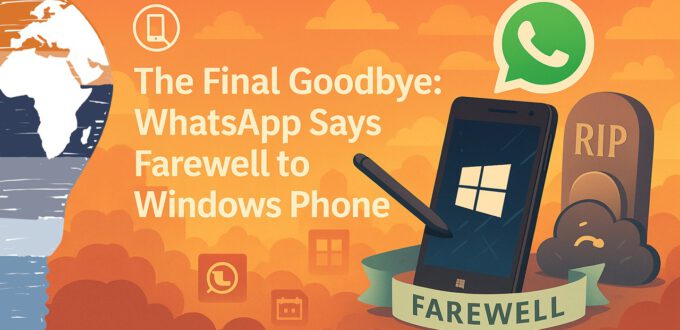
  • The Final Goodbye: WhatsApp Says Farewell to Windows Phone

    The Final Goodbye: WhatsApp Says Farewell to Windows Phone


    📵 The Final Goodbye: WhatsApp Says Farewell to Windows Phone


    Back in 2012, I shared a surprising twist: WhatsApp had mysteriously vanished from the Windows Phone Marketplace. It was one of those “wait… what?” moments that loyal fans of Microsoft’s mobile ecosystem will never forget.

    Luckily, the messenger made a comeback not long after, allowing Windows Phone users to continue chatting and sharing their lives. But now, in July 2019, the writing is officially on the wall. And this time, it’s permanent.


    December 31, 2019 – The Final Shutdown


    According to the official WhatsApp FAQ, support for all Windows Phone operating systems will end on December 31, 2019. And as of July 1st, 2019, the app is no longer available for download in the Microsoft Store.

    Here’s the official statement from WhatsApp:

    “You’ll no longer be able to use all Windows Phone operating systems after December 31, 2019, and WhatsApp might not be available in the Microsoft Store after July 1, 2019.
    Note: Because we no longer actively develop for these operating systems, some features might stop functioning at any time.”

    https://faq.whatsapp.com/en/general/26000006/?category=5245235

    The app may still work if it’s already installed. But features are gradually being phased out, and there’s no telling which might vanish next. It’s a slow goodbye, and it stings.


    From Comeback to Curtain Call


    WhatsApp’s rocky relationship with Windows Phone mirrors the journey of the platform itself. Once a bold challenger in the smartphone world, Windows Phone carved out a dedicated fan base with its sleek UI, live tiles, and tight Microsoft ecosystem integration. But as developer support waned and flagship devices stopped appearing, the platform struggled to keep pace.

    Still, WhatsApp’s support was one of the final lifelines. Losing it feels like another nail in the coffin of a once-great platform. It’s not just the end of an app—it’s the quiet exit of an entire era of mobile tech.


    A Moment of Gratitude and Reflection


    If you’re reading this with a Lumia in your hand or a nostalgic tear in your eye, you’re not alone. Many of us rode the Windows Phone wave with excitement, watching as Microsoft tried to redefine the mobile experience. And though the world moved on to Android and iOS, it’s fair to say: Windows Phone was ahead of its time in more ways than one.

    As for WhatsApp, it’s just doing what every major app eventually must: focusing on where the users are. And let’s be honest, even Cortana saw this coming 😉


    Final Thoughts from Mr. Microsoft


    Whether you’re migrating to a new platform or just taking a moment to mourn a digital companion, one thing is clear: Microsoft’s journey in mobile isn’t over. It’s just evolving. The future lies in Microsoft 365, Surface devices, cloud-powered mobility and maybe even a little dual-screen magic (👀 Surface Neo, anyone?).

    But today, we tip our digital hat to Windows Phone and say one last “ping” to WhatsApp.

    Stay clever. Stay responsible. Stay scalable.
    Your Mr. Microsoft,
    Uwe Zabel


    🚀 Curious how mobile and Microsoft can still go hand in hand in 2025?
    Follow my journey on zabu.cloud—where cloud, AI, and business strategy converge.
    Or ping me directly—because building the future works better as a team.

  • Remote Assist with HoloLens and Microsoft Teams – Welcome to the Future of Field Support

    Remote Assist with HoloLens and Microsoft Teams – Welcome to the Future of Field Support


    🔧 Remote Assist with HoloLens and Microsoft Teams

    Welcome to the Future of Field Support


    If you’ve ever wished your hands could stay busy while your brain got expert help from miles away—good news! Microsoft is delivering exactly that, and it’s called Dynamics 365 Remote Assist. Powered by Microsoft Teams and enhanced by the magic of Mixed Reality, it’s reshaping how frontline workers—technicians, engineers, and support staff—get the job done.

    The recent announcement of HoloLens 2 put a spotlight on immersive collaboration. Microsoft’s goal? Reduce “time-to-value” and help customers realize real-world benefits faster—no more “future tech, someday” dreams. It’s here. It’s now. And it’s dazzling.

    Let’s dive into what makes Remote Assist a game-changer in 2019—and why it’s the ultimate proof that Teams is no longer “just” a chat app.


    HoloLens 2 + Dynamics 365 Remote Assist: A New Reality


    While branded under the Dynamics 365 umbrella, Remote Assist quietly taps into the power of Microsoft Teams under the hood. Think about it: Teams has absorbed Skype for Business, inherited its enterprise-grade calling and video conferencing, and fused it into something modern, scalable, and collaboration-ready.

    Remote Assist builds on this foundation. With a HoloLens 2, a technician in the field can share their exact point of view live with a remote expert—no more blurry photos or long-winded explanations. Instead, it’s “you see what I see” in real-time.

    It’s smart, it’s simple—and it’s deeply strategic. Microsoft is quietly showing us the convergence of productivity, communication, and spatial computing.


    What Makes Remote Assist So Powerful in 2019?


    Here’s what you can do right now using Remote Assist with HoloLens 2 and Microsoft Teams:

    • 📞 Make live calls between a HoloLens and Microsoft Teams
    • 🧠 Move freely while transmitting high-quality visuals to your remote expert
    • 🎯 Receive visual annotations—arrows, drawings, images—overlaid on your field of view
    • ✏️ Collaborate through real-time drawings and annotations from desktop to HoloLens
    • 📺 Share your screen and present key documentation or schematics in MR
    • 🧽 Undo, delete, or update annotations instantly
    • 👓 Get expert guidance without flying someone across the country

    This isn’t just collaboration—it’s presence without physical presence. And in industries where uptime is everything, that’s not a luxury. It’s a necessity.


    Remote Assist for Android: MR on a Budget


    Let’s be honest—not everyone has a HoloLens lying around. At €5,000+, it’s an incredible device but not always within reach.

    Enter Remote Assist for Android.

    By bringing Remote Assist to Android smartphones, Microsoft unlocks massive accessibility. The same field technician who’s already carrying a rugged device can now access remote expertise using the phone in their pocket.

    💡 This changes the game. Organizations can scale Remote Assist quickly without hardware rollouts. The training curve is minimal, and the benefits are immediate.

    Imagine a world where every field service call, no matter how remote, comes with a built-in expert—without ever booking a flight.


    What It Means for Business


    Microsoft is showing us the future—and it’s not just about tech. It’s about transformation:

    • Reducing service downtime by enabling real-time expert assistance
    • Lowering operational costs by slashing unnecessary travel
    • Improving onboarding and training by providing hands-on remote guidance
    • Empowering Firstline Workers to be just as connected as the C-suite

    In short, Remote Assist turns expertise into a service—one that scales, travels instantly, and fits into your existing Microsoft Teams deployment.


    Where to Learn More


    This is one of those rare times when tech actually feels like magic—and it’s powered by something as familiar as Teams.

    Stay clever. Stay responsible. Stay scalable.
    Your Mr. Microsoft,
    Uwe Zabel


    🚀 Curious how mobile first workes with Microsoft solutions?
    Follow my journey on zabu.cloud—where cloud, AI, and business strategy converge.
    Or ping me directly—because building the future works better as a team.

  • Microsoft’s AI Roadshow 2019 in Cologne and Munich

    Microsoft’s AI Roadshow 2019 in Cologne and Munich


    Microsoft’s AI Roadshow 2019 in Cologne and Munich


    This year, Microsoft is once again hosting an AI Roadshow to convey to its partners that using artificial intelligence is not only simple but is already a part of our everyday lives. Examples include Office 365, Alexa, Siri, Google, and many more.

    Many partners were invited to the two-day roadshow on May 17 in Munich and on May 20 in Cologne, at the respective Microsoft locations. Microsoft traditionally invites some of its partners as speakers for such events to share firsthand insights on the topic.

    (more…)

    Microsoft’s AI Roadshow 2019 in Cologne and Munich


    This year, Microsoft is once again hosting an AI Roadshow to convey to its partners that using artificial intelligence is not only simple but is already a part of our everyday lives. Examples include Office 365, Alexa, Siri, Google, and many more.

    Many partners were invited to the two-day roadshow on May 17 in Munich and on May 20 in Cologne, at the respective Microsoft locations. Microsoft traditionally invites some of its partners as speakers for such events to share firsthand insights on the topic.

    (more…)
  • Robust Auto-Numbering in Dynamics 365 for Sales

    Robust Auto-Numbering in Dynamics 365 for Sales


    Robust Auto-Numbering in Dynamics 365 for Sales

    Because even numbers deserve structure.


    There’s something oddly satisfying about a well-structured ID. Clean. Predictable. Sequential. But anyone who’s ever had to implement auto-numbering in Microsoft Dynamics 365 knows the struggle: duplicate numbers, skipped sequences, race conditions, and the all-too-familiar “Wait, why did it jump from 2027 to 2030?”

    Yep. I’ve been there. In fact, I’ve lived there.

    Today, I want to walk you through what’s possible in Dynamics 365 for Sales (as of version 9.0), why auto-numbering is such a pain for high-throughput environments, and how you can finally implement a robust solution—without losing sleep or data integrity.


    The Built-In Numbering System: Great… Until It’s Not


    Let’s start with the basics. Out of the box, Dynamics 365 already comes with auto-numbering fields for specific entities like:

    • Contracts
    • Cases
    • Quotes
    • Orders
    • Invoices
    • Campaigns
    • Articles
    • Categories
    • Knowledge Base Articles

    But here’s the kicker: Microsoft only allows minimal customization. You can change the prefix and define a 4–6 character random string, but that’s about it. And the incremental numeric section? Always fixed to 6 digits. Not exactly enterprise-flexible, right?

    Want to change the step size? Nope.
    Add a suffix with the fiscal year? Sorry.
    Format it with leading zeros, region codes, or a smart pattern? You’re out of luck.

    What sounds like a small limitation turns into a serious blocker for enterprise customers who rely on unique, readable, and structured numbering for auditing, reporting, or regulatory compliance.

    Dynamics 365 default Auto-Numbering-Settings

    Third-Party Tools to the Rescue (Almost)


    For years, I relied heavily on tools like:

    Planet Technologies ID Generator
    Simple, elegant, and smart. Supports prefixes, step sizes, zero padding, and even placeholders like year tokens. Find it here on Planet XRM.

    blank
    Source: www.planetxrm.com

    Celedon AutoNumber
    A hidden gem. Similar to the Planet tool but with more conditional logic. You can even use dropdown fields to dynamically change the numbering logic (e.g., generate a different prefix for Partner vs. Customer vs. Lead). Bravo! Check them out here.

    blank
    https://celedonpartners.com/blog

    Both plugins do a great job… under the right conditions.

    But there’s a problem they all share—race conditions. 😬
    When you’re importing records or executing a workflow that spawns multiple entities simultaneously, there’s a real chance you’ll:

    • Duplicate numbers
    • Skip sequence entries
    • Create broken dependencies

    And suddenly, your supposedly unique IDs aren’t so unique anymore.


    My Code-Free DIY Auto-Numbering Engine


    Because necessity is the mother of reinvention innovation, I built my own Auto-Numbering logic using nothing but native Dynamics tools:

    1. Custom Entity: A simple entity called NummernGenerator to track counters.
    2. Calculated Fields: Concatenate year, prefix, and padded number into a final ID.
    3. Workflow: On record creation, retrieve the current number, assign it, and increment the counter.

    Bonus? I built a year-rollover feature so the generator resets in January or any custom month you want.

    And all this without a single line of code. Just standard Dynamics + some clever logic.

    Still, it’s not 100% race-condition-proof under heavy load, but it gets the job done for many common business scenarios.

    blank

    The Game-Changer: Native Auto-Numbering for Any Entity (Dynamics 365 v9.0+)


    Here’s where it gets interesting.

    With version 9.0 of Dynamics 365, Microsoft quietly introduced native support for custom auto-numbering fields on any entity. Yes—you read that right.

    It’s now possible to:

    • Add auto-numbering to custom entities
    • Mix elements like static prefixes, sequential numbers, random strings, and dates
    • Format unique IDs like INV-2019-000123 or Q3-EU-0456-X

    This is exactly what many of us have been waiting for. And yet… there’s a small caveat:

    Microsoft forgot to expose it in the GUI.

    That’s right. No way to set this up directly from the Dynamics UI. Which is where the trusty XRM Toolbox comes in.


    The XRM Toolbox Plugin You Need


    Thanks to the community, there’s now a plugin for XRM Toolbox that lets you:

    • Define auto-numbering fields for any entity
    • Edit existing system-managed fields (yes, even quotes and orders!)
    • Apply advanced logic like conditional tokens, randomized values, and year-based sequencing

    You can check it out in the XRM Toolbox plugin store. It’s saved me hours of work and a few grey hairs.

    blank
    Quelle: https://community.dynamics.com

    Summary: Your Auto-Numbering Checklist


    So what’s the best solution for you? Here’s how I’d decide:

    ✅ Need fast deployment with some logic → Go with Planet or Celedon plugins
    ✅ Need flexibility without race conditions → My DIY approach is great for controlled scenarios
    ✅ Want native performance and zero-code scaling → Use the new v9.0 features + XRM Toolbox

    And always, always test under realistic load. Because what works in dev might not survive production.

    Stay clever. Stay responsible. Stay scalable.
    Your Mr. Microsoft,
    Uwe Zabel


    🚀 Curious how enterprise-ready Dynamics 365 has become for real-world business scenarios?
    Follow my journey on zabu.cloud—where cloud, AI, and business strategy converge.
    Or ping me directly—because building the future works better as a team.

  • Security in Microsoft Azure: A Practical Guide

    Security in Microsoft Azure: A Practical Guide


    Security in Microsoft Azure:
    A Practical Guide


    Moving to Azure is like trading your garage workshop for a modern factory floor. You gain scale, automation, and global reach, but the safety rules change. It is not about Lifting & shifting your VMs, it is about Lifting & Shifting your Responsibilities. Elasticity is your superpower; misconfiguration is your kryptonite. The goal isn’t to lock everything down so tightly that nobody can ship. It’s to build smart guardrails so your teams move fast without breaking trust. Below is a streamlined playbook focused on what actually keeps engineers productive, auditors satisfied, and customers confident.


    Start at Mission Control:
    Posture, Identity, and Least Privilege


    If Azure is the plane, Microsoft flies the engines and the airframe, but you still buckle your seatbelt and keep your passport safe by yourself. Practically, that means owning your identity, configuration, and data. Begin in Microsoft Defender for Cloud (formerly Security Center). It gives you a single lens on risk across your VMs, containers, databases, storage, and PaaS services. Treat Secure Score like your backlog. Start fixing the top recommendations first and wire alerts into Microsoft Sentinel so you can turn the signals into actions, not inbox noise.

    From there, make Microsoft Entra ID (Azure AD) your control plane. Passwords alone are table stakes of the past. Enforce MFA by default, use Conditional Access to raise the drawbridge when risk spikes, and swap standing admin rights for just-in-time elevation with Privileged Identity Management. Kill long-lived secrets and shift apps to managed identities so credentials aren’t hiding in code or config files. Govern external collaboration with access reviews and entitlement management so “guest access” doesn’t become “open season.” This identity-first posture does ninety percent of the quiet work that prevents loud incidents later.


    Design the Environment to Contain Blast Radius:
    Networks, Endpoints, and Encryption


    Perimeter defenses still matter, but modern Azure security is about containment. Keep public exposure to a minimum with Private Endpoints for Storage, SQL, Cosmos DB, and other PaaS services so traffic stays on Microsoft’s backbone instead of the public internet. Segment subnets to slow lateral movement and front web apps with Azure Application Gateway (WAF) plus DDoS Protection for resilience when traffic spikes for the wrong reasons. Lock down management paths by using Azure Bastion or just-in-time (JIT) access instead of leaving RDP/SSH open to the world. When mistakes happen—and they will—the blast radius should be small and survivable.

    Encryption is your last line of defense and should be your first default. At rest, Azure disks, Storage, and SQL encrypt out of the box. Additionally step up to customer-managed keys for regulated data and centralize them in Azure Key Vault or Managed HSM with soft-delete and purge protection. In transit, insist on TLS 1.2+ everywhere, and for highly sensitive fields (think PII or trade secrets) use application-level controls such as Always Encrypted so even database admins see ciphertext, not customer secrets. Good key hygiene turns a potential breach into unreadable noise.


    Make the Right Thing the Easy Thing:
    Policy as Code and Operational Excellence


    Humans forget but policies don’t. Azure Policy lets you codify non-negotiable rules and enforce them at subscription or management-group scope. These should at least include the requirement of Private Endpoints on storage, block public IPs on sensitive subnets, mandate tags for data classification and cost management scenarios. Treat policies like code and version them, test them, and ship them via pipelines alongside your infrastructure so every new landing zone arrives with guardrails already fitted. Developers go faster when the rails are there; security gets stronger because exceptions are explicit, auditable, and rare.

    Detection and response closes the loop. Centralize logs like activity, sign-in, resource, Defender, and VNet flow and stream them into Microsoft Sentinel for correlation, hunting, and playbooks. Automate the first five minutes of incident response. Include steps like isolate a VM, disable a risky account, rotate a key, or revoke a token with a single button (or no button at all). Run purple-team exercises and measure time-to-detect and time-to-contain. Then adjust analytics, policies, and permissions based on what you learn. Security becomes a habit system, not a quarterly fire drill.


    Bottom Line:
    Secure and Fast, Not Secure or Fast


    The art in cloud security is balance. Land workloads in a well-designed landing zone, classify data from day one, keep privileges short-lived, encrypt by default, and watch continuously for drift. Do these few things consistently and Azure stops being a security worry and becomes a resilience advantage. Your teams ship confidently, audits get easier, and your customers’ trust compounds release after release.


    Closing Thought


    If this sparked ideas (or healthy paranoia—in a good way), let’s turn momentum into impact and start small. Pick one workload, baseline its risks and cost, and apply two or three improvements this week. Then iterate. If you’d like a second set of eyes, I’m happy to review your Azure security posture, cost drivers, or migration plan and share practical next steps. Want to keep learning at your own pace? Subscribe to my newsletter for bite-size playbooks, architecture notes, and a few nerdy war stories from the field. And if your team prefers hands-on sessions, I can also run a compact workshop that move you from “we should” to “we did”. Your questions, your context.

    Stay clever. Stay responsible. Stay scalable.
    Your Mr. Microsoft,
    Uwe Zabel


    🚀 Curious about Microsoft Cloud, AI and SAP?
    Follow my journey on zabu.cloud—where cloud, AI, and business strategy converge.
    Or ping me directly—because building the future works better as a team.

  • 🛡️ High Availability in Microsoft Azure

    🛡️ High Availability in Microsoft Azure


    🛡️ High Availability in Microsoft Azure

    Understanding Availability Sets & Availability Zones


    Let’s face it: When spinning up your first few Azure VMs for dev or testing purposes, high availability probably isn’t the first thing on your mind. But once we start talking about production workloads, especially business-critical applications, the game changes. Suddenly, uptime becomes a non-negotiable.

    Whether you’re migrating SAP, deploying your corporate website, or running your finance backend—downtime is the enemy. And while Microsoft Azure offers powerful infrastructure, let’s bust one myth right now:

    Just because it’s in “the cloud” doesn’t mean it’s automatically redundant.

    In Azure, resiliency is your responsibility. But the good news? Microsoft gives you the tools to build it—two of the most important being Availability Sets and Availability Zones.

    Ready to level up your cloud architecture? Let’s dive in. ⚙️

    (more…)

    🛡️ High Availability in Microsoft Azure

    Understanding Availability Sets & Availability Zones


    Let’s face it: When spinning up your first few Azure VMs for dev or testing purposes, high availability probably isn’t the first thing on your mind. But once we start talking about production workloads, especially business-critical applications, the game changes. Suddenly, uptime becomes a non-negotiable.

    Whether you’re migrating SAP, deploying your corporate website, or running your finance backend—downtime is the enemy. And while Microsoft Azure offers powerful infrastructure, let’s bust one myth right now:

    Just because it’s in “the cloud” doesn’t mean it’s automatically redundant.

    In Azure, resiliency is your responsibility. But the good news? Microsoft gives you the tools to build it—two of the most important being Availability Sets and Availability Zones.

    Ready to level up your cloud architecture? Let’s dive in. ⚙️

    (more…)
  • Fujitsu Lifebook P727 – Business-Class Power In A Portable Package

    Fujitsu Lifebook P727 – Business-Class Power In A Portable Package


    Fujitsu Lifebook P727

    Business-Class Power In A Portable Package


    Back in December 2017, I received an unexpected surprise: Microsoft selected me to be a product tester for the Fujitsu LIFEBOOK P727. 🧑‍🔬💻


    Moments like these don’t happen every day and as a die-hard tech enthusiast, I was thrilled. Within days, the box arrived. Inside: the convertible LIFEBOOK P727, a USB-C docking station, and the Fujitsu stylus, complete with spare nibs. Everything I needed to give this device a real-world, business-class workout.

    Thanks again to the folks at Microsoft for this incredible opportunity!


    First Impressions: Not Your Average Plastic Brick


    Let’s get one thing straight: the P727 is no cheap plastic toy.
    This thing means business.
    The chassis feels solid, metallic, and premium. Clearly engineered with durability in mind. At just under 1.3kg, it strikes a sweet spot between portability and heft. It’s small enough to toss in a backpack, yet sturdy enough to feel like it belongs on the corner office desk.

    There was one aesthetic drawback: the surface shows fingerprints faster than you can say “Touch ID.” Fujitsu included a microfiber cloth, but still it’s worth noting.


    All the Ports, All the Flexibility: Meet the USB-C Port Replicator


    No dongles. No compromises.
    The included USB-C Port Replicator is a dream for hybrid professionals. It supports:

    • VGA, HDMI and DisplayPort
    • Three USB-A ports and two USB-C
    • Gigabit LAN
    • Combo audio jack
    • Pass-through charging via USB-C

    It makes setting up your mobile workstation a plug-and-play affair. However, I was a bit disappointed to find that a second power cable wasn’t included. So you’ll have to swap your main power supply between the laptop and docking station unless you purchase another one.

    Port Replicator
    Port Replicator

    Security That Scans Beneath the Surface: Fujitsu PalmSecure


    Here’s something you don’t see every day: vein pattern recognition.
    Fujitsu’s PalmSecure feature scans the unique pattern of your veins. Arguably more secure than facial recognition or PIN codes. ✋🔐

    Setup was quick (despite the software’s slightly outdated UI), and using it feels natural. However, Windows had a short memory and occasionally reverted to password login at boot. A minor frustration in an otherwise excellent security feature.


    Windows 10 Pro + Microsoft Intune = Enterprise Heaven


    As a Microsoft Cloud consultant, my work life revolves around devices that just work with M365, Azure AD, and Intune.
    This Lifebook, running Windows 10 Pro (Fall Creators Update, Build 16299), nailed that brief.

    All my policies deployed cleanly. Conditional Access worked. Office 365 ProPlus was snappy and reliable. Whether managing devices or collaborating on SharePoint, it performed like a champ.


    AI Assistant On Board: Cortana and Windows Ink at Your Service


    Cortana reminded me when to leave for meetings and gave me hints about the actual traffic.
    Windows Ink helped annotate PDFs and screenshots as well as brainstorm ideas on the fly.
    Both made me more productive and more organized.

    Only gripe? Windows Ink didn’t sync nicely with OneNote 2016 at the time. It worked, but not without a workaround.


    Convertible Design That Just Works


    Most of the time, I am working on this machine in the standard Laptop mode. But switching to tablet mode is effortless. Fold the screen back, and voilà, Windows prompts you to go full touch. Better yet, you can automate the transition. And the keyboard? Deactivates instantly when flipped. This way it is preventing those dreaded accidental key presses.

    One minor quirk: it wasn’t always clear at what angle the switch triggered. But it never failed to function.


    Typing Experience: Surprisingly Premium


    Typing on the P727 is a pure pleasure.
    The keyboard spacing is generous for such a compact form factor, with responsive, tactile feedback. It just feels great to use it. And the anti-glare screen? A lifesaver under office lighting.

    Unfortunately, German winter didn’t allow me to test in direct sunlight. But in every indoor scenario, brightness and color accuracy were excellent.

    blank

    The Fujitsu Digitizer Pen: Close, but No Surface Pen


    The included stylus supports pressure sensitivity and palm rejection. These are two must-haves for digital inking. The writing experience is smooth, and the pen glides across the screen effortlessly.

    That said, the button layout felt awkward. I missed having an eraser-style button on the top (like Microsoft’s Surface Pen). But in hand, it’s balanced and effective for note-taking, sketching, or annotating documents.


    Final Verdict: Built for Road Warriors and Power Users Alike


    The LIFEBOOK P727 fits in almost any bag and into any workstyle.
    On flights, at client meetings, or in coffee shops, it never let me down. The battery lasts long enough for a full day’s work. The stylus docks neatly in the chassis. And its build quality and connectivity are exactly what you’d expect at this price point.

    My only wish? A better touchpad and a smoother biometric login process.

    Still, with Windows 10 Pro and Office 365 onboard, this compact convertible earns a solid:

    👉 8 out of 10 for productivity

    Perfect for business travelers, consultants, and anyone who wants a reliable 2-in-1 workhorse with enterprise chops.

    Here you will find the whole Test on the Microsoft insiders Website

    Stay clever. Stay responsible. Stay scalable.
    Your Mr. Microsoft,
    Uwe Zabel


    🚀 Curious about the tools and tech that power modern consulting? Follow my journey on zabu.cloud—where cloud, AI, and business strategy converge.
    Or ping me directly—because building the future works better as a team.

  • Microsoft’s OneDrive Storage Rollback: What’s Changing, How To Keep Your Space, And Why It Happened

    Microsoft’s OneDrive Storage Rollback: What’s Changing, How To Keep Your Space, And Why It Happened


    Microsoft’s OneDrive Storage Rollback:
    What’s Changing, How To Keep Your Space, And Why It Happened


    I get it—the “unlimited” headline about OneDrive storage sounded great back then. But now, Microsoft dialed OneDrive back to something more sustainable: Office 365 Home/Personal plans settle at 1 TB per user, and free OneDrive accounts move from 15 GB to 5 GB. The popular camera-roll bonus is also going away. For some folks that’s a drop from 30 GB to 5 GB—enough to make anyone grumpy over morning coffee. The upside: if you act now, you can keep your existing free allotment. Here’s the view of what changed, why it changed, and the two-minute fix to protect your storage.


    What’s Changing—and the Two-Minute Fix


    The policy shift is straightforward: paid consumer plans land at 1 TB; free accounts become 5 GB; the extra space you earned for automatic photo uploads is being retired. To keep your current free quota, Microsoft offered a one-click opt-in through January 31, 2016. Hit the “Keep your free storage” page, sign in, confirm, done. If you’re reading this do it now, then take a quick look at your usage in the OneDrive web portal. A short cleanup—duplicate videos, long-forgotten ZIPs, old phone backups—can free gigabytes fast.


    Why Microsoft Pulled Back from “Unlimited”


    Under the hood, a tiny fraction of users did exactly what the initial offer allowed: parked multiple terabytes—sometimes tens of TB—of media and backups in OneDrive. That’s technically compliant, but it blows up the economics and performance envelope of a consumer service that has to feel snappy and reliable for hundreds of millions of people. Re-centering on 1 TB per user and right-sizing the free tier restores predictability for capacity planning and keeps service quality steady. It’s not as exciting as “infinite,” but it should be fine for most of the users.


    What OneDrive Does Well


    Even with the rollback, OneDrive remains a solid everyday companion—especially in a Windows and Office world. Save a Word doc to the cloud, pick it up on another PC, share a link right from Outlook, auto-upload your phone photos, and keep your family in sync across devices. With Windows 10 out in the wild and Office evolving, the integration story is strong. For most people, 1 TB is plenty for active files, project archives, and a generous slice of photos—provided you’re intentional about what lives in the cloud versus what belongs in cold storage at home.


    A Short Look Back: Mesh → SkyDrive → OneDrive


    This service has been iterating for years. Microsoft started with Windows Live Mesh, then consolidated into SkyDrive, then rebranded to OneDrive in 2014 after a UK trademark dispute. Each turn added tighter Windows integration, better mobile apps, and saner sharing controls. Today’s change is part of that maturation cycle—trading headline promises for sustainable, widely useful storage that performs.


    What you should Do Next


    Lock in your free allotment before January 31, 2016, then make OneDrive mirror your real life. Keep your “active” world there—work docs, family photos you actually browse, travel scans, receipts. Park bulk media and rarely touched archives on a NAS or external drive. And schedule a tiny quarterly tidy-up: five minutes to nuke duplicates and move cold content out of your sync scope. It’s amazing how much calmer (and faster) OneDrive feels when it’s carrying the right weight.


    Stay clever. Stay responsible. Stay scalable.
    Your Mr. Microsoft,
    Uwe Zabel


    🚀 Curious how OneDrive, Office 365, and your personal-cloud setup can stay sane in 2015? Follow my journey on zabu.cloud—where cloud, AI, and business strategy converge.
    Or ping me directly—because building the future works better as a team.

  • IBM’s Mac Bet: Why Paying More Upfront Can Cost Less Overall

    IBM’s Mac Bet: Why Paying More Upfront Can Cost Less Overall


    IBM’s Mac Bet: Why Paying More Upfront Can Cost Less Overall


    Just now, a headline made a lot of CIOs raise an eyebrow: IBM claims each Mac saves around $270 compared to a comparable PC—despite the higher purchase price. The trigger wasn’t a marketing one-pager; it came from real operations data as IBM expanded its employee-choice program and began rolling out Macs at scale. Fewer help-desk tickets, simpler support, and strong user satisfaction tipped the total cost of ownership (TCO) math in Apple’s favor for certain roles. That’s a serious statement from a company with one of the biggest enterprise IT footprints on the planet.

    If you’re an enterprise decision-maker, this isn’t about brand wars. It’s about TCO, experience, and risk. And it’s a reminder that device strategy is changing—driven by mobile-first work, cloud services, and users who expect consumer-grade polish at work.


    What IBM Actually Said


    IBM is buying Macs in serious volume. According to public remarks summarized by MacLife, the company observed that employees on MacBooks, iMacs, and Mac Pros open fewer support cases than those on traditional Windows desktops—and that the downstream savings add up to roughly $270 per Mac over its lifecycle. In other words: the higher sticker price is offset by lower support effort and greater stability in day-to-day usage.

    A few dynamics sit behind that claim:

    • Fewer tickets per user: Streamlined OS updates, curated software catalogs, and modern management cut help-desk load.
    • Predictable lifecycle: Macs tend to hold value and endure multiple OS cycles, improving residual value and redeployment options.
    • Standardized provisioning: Imaging and policy-based setup (think 2015-era MDM tooling and DEP enrollment) reduce hands-on time.

    For a company at IBM’s scale, shaving minutes off provisioning and reducing the probability of tickets is not cosmetic—it’s financial hygiene.


    Choice, Cloud, And Consumer-Grade UX At Work


    Zoom out. This is the year employee choice moves from pilot to policy. SaaS adoption is accelerating, VPNs are being rethought, and line-of-business apps are showing up with mobile front doors. In that world, platform choice becomes a lever for productivity. If an analyst ships code in the morning and presents to a client in the afternoon, the right device is the one that minimizes friction and maximizes focus.

    From an IT perspective, the calculus includes:

    • Unified management maturity: Enterprises are experimenting with modern MDM enrollment, identity federation, and lighter-weight policy models—on both macOS and Windows.
    • Identity as the control plane: Azure Active Directory and other IdPs are centralizing access, so app reach matters more than the desktop logo.
    • App portfolio drift: Browser-first and Office 365 adoption (Word, Excel, PowerPoint, Outlook) mean productivity parity is easier across platforms than in years prior.

    The takeaway: when most of your daily work rides on identity, network, and the browser, device TCO has more room to show its face.


    Windows vs. Mac: A Realistic Enterprise POV


    Let’s be practical. Windows remains the enterprise default for deep legacy application portfolios, AD-joined estates, and specialized peripherals. Group Policies, SCCM images, and custom line-of-business software still matter a lot. At the same time, macOS can shine in roles where:

    • Cloud productivity dominates, with Office 365 and modern browsers doing the heavy lifting.
    • Developer and design workflows benefit from Unix tooling and creative suites that sing on macOS.
    • Field and sales teams value fast wake-to-work, long battery life, and a consistent UX that reduces training needs.

    The right answer is rarely “all of one.” It’s segmentation. Give finance their stable Windows stack if an add-in mandates it; give engineering and field teams the platform that trims support friction. Then measure ticket rates, reimage counts, and user satisfaction across both.


    What You Should Do Next (If You’re In IT)


    This is the moment to quantify your own TCO, not argue someone else’s. Create a small, well-instrumented device-choice program and track the boring—but telling—metrics over 6–12 months:

    • Time-to-productivity on day one (from box to business apps).
    • Help-desk tickets per 100 users, by category (device, app, identity).
    • Reimage/rebuild rates and average handling time.
    • User NPS and device satisfaction.
    • Residual value at refresh.

    Run those numbers alongside procurement costs, and the signal will emerge. If your curve looks like IBM’s—lower support volume and faster provisioning—then the “more expensive” device may be cheaper in real life.


    My Take: It’s Not About The Logo—It’s About Flow


    I’m “Mr. Microsoft,” so you might expect me to simply chant “Windows everywhere.” That’s not the playbook. The playbook is flow—removing friction between people and outcomes. Sometimes that’s a well-managed Windows 10 device humming with Office 365 and Azure AD. Sometimes it’s a Mac that just keeps out of the way while your cloud services do the heavy lifting. Either way, your identity, security, and management stack should make device choice safe—then let the numbers guide scale.

    If IBM can put hard savings behind that choice, it’s a signal for the rest of us: revisit your assumptions, measure ruthlessly, and optimize for real productivity, not procurement folklore.

    Stay clever. Stay responsible. Stay scalable.
    Your Mr. Microsoft,
    Uwe Zabel


    🚀 Curious how mobile, Mac, and Microsoft can work together? Follow my journey on zabu.cloud—where cloud, productivity, and business strategy converge.

    Or ping me directly—because building the future works better as a team.

  • Instead of Coffins: The Eco-Capsule That Grows a Tree in Your Memory

    Instead of Coffins: The Eco-Capsule That Grows a Tree in Your Memory


    Instead of Coffins: The Eco-Capsule That Grows a Tree in Your Memory


    An Italian project known as Capsula Mundi seeks to replace traditional coffins with something more futuristic and ecological. This concept imagines that after a person’s passing, instead of a bulky wooden casket, there is a biodegradable capsule. A sapling grows from that capsule, so the departed individual is memorialized by a living tree rather than a stone monument. The notion might sound like science fiction, but it reflects a deeper shift in how we approach burial and legacy.


    What is Capsula Mundi?


    Developed by Italian designers, Capsula Mundi wants to change funeral customs in a thoughtful way. They propose an egg-shaped, organic shell made from biodegradable materials. The deceased is placed inside this capsule, then buried in the earth. A sapling or seed is planted just above it. As the remains decompose, nutrients feed that tree, so the individual’s memory literally blossoms into new life.

    Key Points:

    1. Sustainability: Traditional caskets often use treated wood, metal, or lacquer, which do not break down easily. This capsule, by contrast, returns the body to the soil more naturally, helping a tree flourish.
    2. Tree Memorial: Instead of a gravestone, the family or community tends the tree. Over time, a cemetery could become a memorial forest, merging life and remembrance.
    3. Designer Roots: Capsula Mundi creators see this as a design statement, emphasizing harmony between humans and the environment.
    blank

    Why This Approach Stands Out


    Some countries are exploring ways to reduce the environmental impact of burials. Cremation has been common, but it has its own carbon footprint, while caskets can consume lumber. If Capsula Mundi becomes more accepted, families might choose to grow a beautiful pine, oak, or fruit tree that commemorates a loved one. This new practice shifts the cemetery from a place of stone markers into a quiet woodland. The concept also resonates with younger generations who lean toward eco-friendly living in all aspects of life, from how they handle daily waste to how they choose their final resting place.


    Cultural and Emotional Implications


    Burial traditions vary across cultures and centuries, so switching to a biodegradable capsule might not fit everyone. Some families want a traditional coffin or a specific religious ceremony. Capsula Mundi’s approach can feel unconventional, because it reframes death as a direct contribution to nature’s cycle. That can provide comfort to some people, who like the idea that their final act in the world fosters new growth. Others might prefer the historical or spiritual aspects of more established practices.

    Potential Emotional Benefits:

    • Families might feel that each visit to the grave is also a visit to a living tree that changes through the seasons, representing the ongoing memory of their loved one.
    • It personalizes the memorial, since you can pick a tree type that aligns with the person’s personality or preferences.

    Is This Practical or Symbolic?


    Capsula Mundi is both, because it addresses real ecological concerns about how we handle human remains, while offering a symbolic transformation. Critics might wonder if enough space or acceptance exists for entire forests dedicated to the departed, but the designers believe that such natural cemeteries could become new sanctuaries. If authorities approve it, we might see specialized memorial parks in the future. The cost might vary depending on whether communities adopt these greener burial methods, but supporters argue that in the long term, it saves resources and fosters sustainability.


    Looking at the Future


    Currently, Capsula Mundi remains more of a concept or small-scale project, though it receives media attention because it challenges us to rethink funeral norms. Some municipalities in Europe may test pilot programs to see if the public is ready for such a transition. Over time, as environmental consciousness rises, we might see mainstream acceptance of these biodegradable capsules. If that occurs, the final resting place of many could be under a canopy of trees, turning burial grounds into living forests.

    What about you? Does the idea of becoming a tree appeal to your ecological side, or would you rather have a more traditional ceremony? Let us know in the comments how you feel about eco-friendly burial options. People’s perspectives on death and remembrance might slowly evolve toward these more natural approaches.

    Stay clever. Stay responsible. Stay scalable.
    Your Mr. Microsoft,
    Uwe Zabel


    🚀 Curious how Microsoft Azure keeps your apps available—anytime, anywhere?
    Follow my journey on zabu.cloud—where cloud, AI, and business strategy converge.
    Or ping me directly—because building the future works better as a team.

    #CapsulaMundi #EcoBurial #Sustainability #BiodegradableCoffin

  • EU Clears Nokia’s Acquisition of Alcatel-Lucent: What It Means for Networks, 5G, and Competition

    EU Clears Nokia’s Acquisition of Alcatel-Lucent: What It Means for Networks, 5G, and Competition


    EU Clears Nokia’s Acquisition of Alcatel-Lucent:
    What It Means for Networks, 5G, and Competition


    When Brussels gives a green light, markets listen. Shortly, the European Commission approved Nokia’s all-share acquisition of Alcatel-Lucent, concluding the tie-up wouldn’t harm competition across the EU. Why? Because the two vendors, while overlapping in some product lines, weren’t viewed as “close competitors” in the round. Especially with Ericsson and Huawei looming large across mobile infrastructure, IP routing, optics, and services. For the telecom world, this is a watershed moment: two storied engineering lineages (Nokia + Bell Labs) combining scale, R&D, and portfolios just as operators prepare for dense LTE, NFV/SDN, and the long on-ramp to 5G. 🚀


    What the Deal Really Does


    The transaction, announced earlier this year, brings together complementary strengths. Nokia’s radio access pedigree and network management stack meets Alcatel-Lucent’s IP routing, optical transport, and the innovation engine of Bell Labs. The Commission’s logic is straightforward: even as Nokia+ALU gets bigger, Europe still has multiple heavyweight suppliers. Operators keep credible multi-vendor options; the procurement chessboard doesn’t collapse.

    From an engineering perspective, this is about end-to-end: radio to core, IP edge to optical backbone, services on top. For operators wrestling with exploding data, VoLTE rollouts, and virtualization pilots, the promise is fewer integration seams and more road-mapped interoperability out of the box.


    Competition: Why Brussels Wasn’t Worried


    The EU’s case file boils down to structure and substitutability. Ericsson remains a dominant RAN and services competitor. Huawei is an aggressive pan-portfolio challenger in radio, core, transmission, and professional services. ZTE (select markets), Cisco (IP), Juniper (edge/core), and others anchor specific layers. Against that backdrop, Nokia and Alcatel-Lucent weren’t the kind of head-to-head rivals whose merger would erase choice in any single domain.

    In plain English: operators can still pit multiple vendors against each other in tenders for radio, IP, optics, and managed services. That keeps pricing disciplined and innovation urgent—exactly what regulators want.


    Why This Matters for the Road to 5G


    We’re not in 5G yet, but the prerequisites are lining up: denser LTE networks, small cells, carrier aggregation, cloud-native cores, and SDN/NFV to make it all programmable. A unified Nokia+ALU can coordinate silicon, software, and systems across layers more tightly:

    • RAN + transport co-design to squeeze latency and boost throughput in crowded urban grids.
    • IP edge and optical backbones tuned for virtualized network functions (EPC, IMS) running in telco clouds.
    • Bell Labs-grade research funneling into real road-maps (think: better schedulers, smarter SON, and energy-efficient hardware).

    For CTOs, this could reduce integration friction and accelerate time-to-service. For CFOs, it’s about capex discipline and opex savings from fewer moving parts.


    Enterprise Angle: Why CIOs Should Care


    Even if you don’t run a mobile network, your WAN, UC, and cloud dependencies ride on these backbones. Consolidation can translate into clearer end-to-end SLAs, faster rollout of LTE-Advanced features, and more stable road-maps for MPLS/IP, Ethernet services, and managed SD-WAN (as that category starts to crystallize). If Nokia+ALU executes, enterprises may see:

    • More consistent performance on mobile-first workplaces (VoLTE quality, video reliability).
    • Stronger peering and backhaul for cloud workloads—less jitter, better throughput to hyperscalers.
    • Quicker adoption of virtualized, software-defined services you can spin up in weeks, not quarters.

    The prudent move in 2015: open a dialogue with your carriers about post-merger road-maps for RAN densification, IP core upgrades, and managed services—especially where your Microsoft cloud strategy (Office 365, Azure) leans on predictable last-mile and backbone behavior.


    What to Watch Next


    Integration is the hard part. Expect a 12–24 month journey to unify portfolios, support models, and overlapping product lines. Keep an eye on:

    • Product harmonization: which IP/optical platforms become the strategic bets?
    • Services muscle: can the combined field force scale without losing responsiveness?
    • R&D cadence: does Bell Labs’ pipeline visibly shape radio, IP, and optics releases?

    If execution stays crisp, the industry gets a sturdier, more vertically integrated counterweight in a market that still has multiple strong players. If not, procurement will shift—and quickly.


    Bottom Line


    The EU’s approval is a vote of confidence that competition remains healthy, while giving operators a bigger vendor that can meet end-to-end ambitions on the road from LTE to 5G. For enterprises, this is a nudge to refresh carrier conversations and make sure your cloud-first roadmap is aligned with the networks it relies on—because those pipes are getting smarter.

    Stay clever. Stay connected. Stay competitive.
    Your Mr. Microsoft,
    Uwe Zabel


    🚀 Curious how telco consolidation, 5G foundations, and your cloud strategy intersect in 2015? Follow my journey on Mr. Microsoft’s thoughts—where cloud, AI, and business strategy converge. Or ping me directly—because building the future works better as a team.

  • Send by Microsoft: Email That Chats Like IM

    Send by Microsoft: Email That Chats Like IM


    Send by Microsoft:
    Email That Chats Like IM


    If you’ve ever typed “quick question” into an email and wished it behaved more like a chat, Microsoft just gave us a shiny new toy: Send. Born out of the Microsoft Garage and rumored earlier under the codename Flow, Send trims away subjects, signatures, CC/BCC. Basically all the ceremony that slows email down. This leaves you with fast, lightweight messages that still travel through your Office 365 mailbox. It’s email where it matters (compliance, archives, search) and chat where it counts (speed, simplicity). In todays fashion: delightfully minimal, unapologetically mobile.


    What Send Is and Why It’s Not “Just Another Messenger”


    Unlike WhatsApp or Skype, Send isn’t building a new network. It’s a thin client on top of your existing Exchange/Office 365 account. Messages you fire off in Send are real emails that land in the recipient’s inbox and remain in your mailbox history. The UI hides the baggage. No subject lines, no salutations, no CC fields. So “Got the deck?” or “5 min to talk?” takes one thumb and zero friction. And because it’s still email under the hood, your governance, retention, and eDiscovery rules keep working as before. That’s the clever bit.

    In July, Microsoft released Send for iPhone (initially for Office 365 work/school accounts in select regions), with Android preview and Windows Phone support on the roadmap. Conversations you start in Send show up in Outlook, and you can pick them up there, too. It feels like IM, but it behaves like mail—perfect for those micro-moments where chat is faster, yet your team still needs everything auditable and searchable later.


    The Flow Rumor Becomes Real


    Back in May, leaks hinted at an internal app called Flow. As a chat-like experience for email. The public release as Send confirms the intent. Strip email to its essence for quick back-and-forth without abandoning the backbone enterprises rely on. As Caschys Blog (stadt-bremerhaven) noted at the time, the idea was to remove the “unnecessary frills” from email so you can communicate at the speed of thought—no thread-naming ceremony, no formatting detours, no “Re: Re: Re:”. Just tap, type, done.


    Who Should Care


    If your teams live in Office 365 and constantly juggle short, transactional messages—field technicians checking ETA, sales asking for a price nudge, project leads confirming a build drop—Send fits like a glove. It’s especially handy when you don’t want to splinter your communication across yet another consumer chat tool, or when compliance means your “chats” must live inside Exchange.

    A few practical notes from the release window:
    Accounts: Initially Office 365 work/school only (no Outlook.com/Gmail at launch).
    Platform: iOS first; Android (preview) and Windows Phone slated to follow.
    Continuity: Messages originate in Send but are fully visible in Outlook—and vice versa for replying.
    Constraints: Send focuses on contacts already in your mailbox ecosystem, which helps reduce noise.


    Why This Matters Beyond the Hype


    Email won because it’s universal and durable. Chat wins when speed beats ceremony. Send stitches the two: real email addressability and retention, chat-level responsiveness. For IT, that’s strategic—no new archive to manage, no shadow IT to chase, fewer training docs to write. For users, it’s muscle memory with fewer taps. And for leaders, it’s productivity without sacrificing control.

    I see this as part of a bigger trend inside Microsoft: mobile-first UX on top of enterprise-grade platforms. We’ve got Outlook mobile maturing, Office apps on iOS/Android getting smarter, and now Send rounding off those “micro-email” moments that slow us down. It’s small, but it scratches a big itch.


    Try It, Then Tell Me What You Think


    If you’re running Office 365, put Send for iPhone into the hands of a pilot group that lives on quick confirmations and short asks. Watch how many emails start to look like DMs—and how little training you need. If it sticks, you’ve just made email feel modern without breaking your compliance model. That’s a rare win-win.

    Stay clever. Stay responsible. Stay conversational.
    Your Mr. Microsoft,
    Uwe Zabel


    🚀 Curious how mobile and Microsoft can go hand in hand?
    Follow my journey on zabu.cloud—where cloud, AI, and business strategy converge.
    Or ping me directly—because building the future works better as a team.