
Tag: Android

  • Outlook Mobile – Your Pocket-Sized Productivity Powerhouse

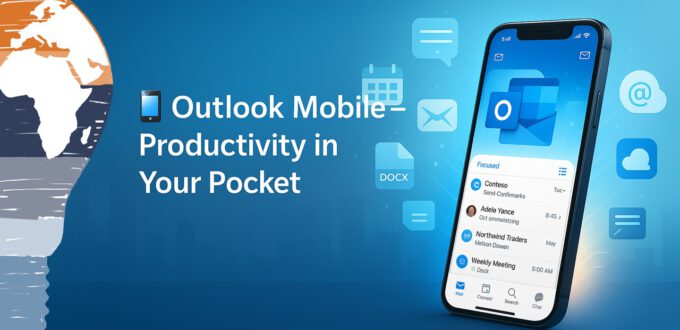
    Outlook Mobile – Your Pocket-Sized Productivity Powerhouse


    Outlook Mobile

    Your Pocket-Sized Productivity Powerhouse


    Most of us live in Outlook all day. Email, calendar, tasks, contacts—it’s our command center. But what about when you’re away from your desk? That’s where Outlook mobile steps in. And trust me, this isn’t just a slimmed-down version of your desktop app. It’s a finely tuned productivity engine—designed for your pocket, not just ported to it.

    If you use Outlook daily on your work laptop or desktop (like I do), downloading the app on your iPhone or Android device is a no-brainer. Not just for continuity, but for game-changing features that help you stay organized, responsive, and—yes—more productive.


    📅 One App to Rule Them All: Mail, Calendar, and Files


    Forget jumping between three different apps just to confirm a meeting and send a file. Outlook mobile puts everything you need—email, calendar, contacts, and even file storage—into a single, elegant interface.

    You can easily access files stored in OneDrive, OneDrive for Business, Dropbox, Google Drive, or Box—and attach them to emails directly from within the app. Less app-hopping, more getting stuff done.


    🌟 Notifications That Actually Matter


    We all know the notification struggle. Most apps either notify too much or not enough. Outlook mobile gets it right with a feature I love: favorite contacts.

    You can mark key contacts as favorites, and then configure notifications to only alert you when an email comes from one of them. That means no more pinging for newsletters or system alerts—just the messages that matter most.

    Favorite People in your pocket Outlook

    Bonus: with one tap, you can filter your inbox to show only those favorite senders. It’s like a VIP section for your email.


    🔍 Smart Search That Thinks Ahead


    The search function in Outlook mobile is seriously underrated. It doesn’t just scan your inbox. It looks across your calendar, people, and even files stored in the cloud.

    Looking for that budget spreadsheet Sandra sent last week? Just type budget Sandra and boom—Outlook pulls up emails, attachments, calendar invites, and even shared documents from OneDrive.

    No more “where did I see that?”—just fast answers.


    📬 Focused Inbox: Zero in on What Really Matters


    Inbox overload is real. But Outlook mobile fights back with Focused Inbox—a smart filter that separates your inbox into “Focused” and “Other” tabs.

    Emails from important senders and frequently interacted contacts land in the Focused tab, while things like marketing blasts and system-generated emails wait in Other.

    You can easily move messages between the two, teaching Outlook what’s important over time. It’s like having an AI assistant who curates your inbox.


    🎯 Final Thoughts: Small App, Big Impact


    Outlook mobile isn’t just a companion to your desktop—it’s a complete productivity tool in your pocket. Whether you’re reviewing documents on the go, scheduling meetings from a taxi, or filtering your inbox during your coffee break, the app has your back.

    If you haven’t downloaded it yet, do yourself a favor and try it out. Productivity doesn’t stop when you step away from your desk—and with Outlook mobile, it doesn’t have to.

    Stay clever. Stay responsible. Stay scalable.
    Your Mr. Microsoft,
    Uwe Zabel


    🚀 Curious about mobile productivity with Microsoft 365?
    Follow my journey on zabu.cloud—where cloud, AI, and business strategy converge.
    Or ping me directly—because building the future works better as a team.

  • Developer Brings iOS Notifications to Android Wear – A Hack That Turns Heads

    Developer Brings iOS Notifications to Android Wear – A Hack That Turns Heads


    Developer Brings iOS Notifications to Android Wear – A Hack That Turns Heads


    Apple’s ecosystem walls just got a little crack. In a move that has smartwatch fans buzzing, developer Mohammad Abu-Garbeyyeh shows in a YouTube demo that iOS notifications can be displayed on an Android Wear smartwatch. Yes, you read that right: an iPhone pushing alerts directly to a Google-powered wearable.

    For years, Apple users have been told the rule is simple: if you want smartwatch notifications, you wait for the Apple Watch. Android Wear devices? Not for you. But this hack suggests another path — one where ecosystems don’t dictate every piece of hardware you own.


    Why it Matters


    In the mobile landscape, wearables are just starting to take shape. The Apple Watch looms on the horizon. Google has an entire lineup of Android Wear devices from Motorola, LG, and others. But the ecosystems don’t talk to each other — at least not officially.

    Abu-Garbeyyeh’s workaround demonstrates something users have quietly wished for: the freedom to choose the smartwatch you like, without being forced into a phone ecosystem switch.

    • Push notifications like messages, reminders, or social media alerts appear on an Android Wear watch even when paired with an iPhone.
    • This is unofficial and community-driven, not endorsed by Apple or Google.
    • It’s early-stage, which means it might break with future iOS updates — but the concept is real, and it works.

    How the Magic Works


    The developer doesn’t spill every line of code, but the logic is clear: iOS push notifications are intercepted and relayed via Bluetooth to the Android Wear device. Apple’s strict MFi program normally prevents this kind of bridge, so this hack is a creative sidestep.

    But before you imagine full smartwatch harmony, here’s the reality:

    • You can see notifications, but you likely can’t reply or control iPhone apps from the watch.
    • Advanced features like voice replies or app-level integration remain out of reach.
    • Apple could patch this at any time, given its preference for closed ecosystems.

    Still, it’s enough to get smartwatch fans dreaming.


    Why you should Care


    Let’s be real: not everyone wants the Apple Watch. Some prefer the round design of the Moto 360, the sporty vibe of the LG G Watch R, or simply want more choice. For iPhone users, being locked into one wearable feels limiting.

    This hack sparks three big ideas:

    • Device choice: iPhone owners can explore Android Wear designs without ditching iOS.
    • Competition: Cross-compatibility pushes Apple and Google to innovate harder.
    • User freedom: The more hacks like this exist, the louder the call for official solutions.

    What It Means


    Right now, buying a smartwatch means committing to a camp: Apple Watch if you’re on iOS, Android Wear if you’re on Android. But this hack hints at a different future — where the phone in your pocket and the watch on your wrist don’t have to be from the same company.

    Will Google seize the moment and release an official Android Wear iOS app? Possibly. It already brings Gmail, Google Maps, and other apps to iOS. But smartwatch-level integration is another beast. And Apple? Its business model thrives on lock-in.

    For now, it’s a tug-of-war between enthusiast hacks and ecosystem control.


    Conclusion


    Mohammad Abu-Garbeyyeh’s demo is more than a neat trick. It’s a glimpse into a world where users — not companies — define their tech combinations. For iPhone owners curious about Android Wear, it offers hope. For the industry, it signals that interoperability is not just a wish, but a demand.

    In 2015, the lines between Apple and Google’s wearable strategies are stark. But with hacks like this, those lines blur. And sometimes, the most important innovations start as a weekend experiment by a single developer.

    Would you try pairing an iPhone with Android Wear, even if it’s just for notifications? Drop a comment. This conversation is only getting started.

    Stay clever. Stay responsible. Stay scalable.
    Your Mr. Microsoft,
    Uwe Zabel


    #iOSNotifications #AndroidWear #CrossEcosystem #Hack