Outlook Mobile
Your Pocket-Sized Productivity Powerhouse
Most of us live in Outlook all day. Email, calendar, tasks, contacts—it’s our command center. But what about when you’re away from your desk? That’s where Outlook mobile steps in. And trust me, this isn’t just a slimmed-down version of your desktop app. It’s a finely tuned productivity engine—designed for your pocket, not just ported to it.
If you use Outlook daily on your work laptop or desktop (like I do), downloading the app on your iPhone or Android device is a no-brainer. Not just for continuity, but for game-changing features that help you stay organized, responsive, and—yes—more productive.
📅 One App to Rule Them All: Mail, Calendar, and Files
Forget jumping between three different apps just to confirm a meeting and send a file. Outlook mobile puts everything you need—email, calendar, contacts, and even file storage—into a single, elegant interface.
You can easily access files stored in OneDrive, OneDrive for Business, Dropbox, Google Drive, or Box—and attach them to emails directly from within the app. Less app-hopping, more getting stuff done.
🌟 Notifications That Actually Matter
We all know the notification struggle. Most apps either notify too much or not enough. Outlook mobile gets it right with a feature I love: favorite contacts.
You can mark key contacts as favorites, and then configure notifications to only alert you when an email comes from one of them. That means no more pinging for newsletters or system alerts—just the messages that matter most.

Bonus: with one tap, you can filter your inbox to show only those favorite senders. It’s like a VIP section for your email.
🔍 Smart Search That Thinks Ahead
The search function in Outlook mobile is seriously underrated. It doesn’t just scan your inbox. It looks across your calendar, people, and even files stored in the cloud.
Looking for that budget spreadsheet Sandra sent last week? Just type budget Sandra and boom—Outlook pulls up emails, attachments, calendar invites, and even shared documents from OneDrive.
No more “where did I see that?”—just fast answers.
📬 Focused Inbox: Zero in on What Really Matters
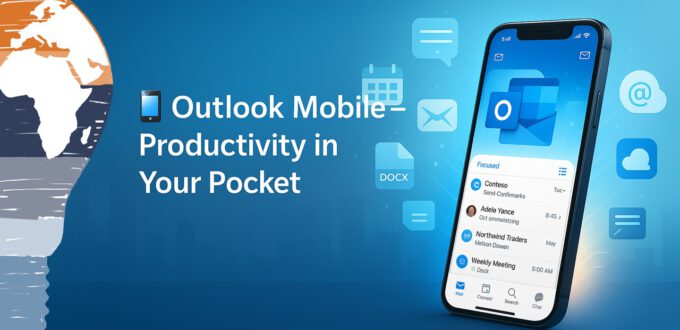
Inbox overload is real. But Outlook mobile fights back with Focused Inbox—a smart filter that separates your inbox into “Focused” and “Other” tabs.
Emails from important senders and frequently interacted contacts land in the Focused tab, while things like marketing blasts and system-generated emails wait in Other.
You can easily move messages between the two, teaching Outlook what’s important over time. It’s like having an AI assistant who curates your inbox.
🎯 Final Thoughts: Small App, Big Impact
Outlook mobile isn’t just a companion to your desktop—it’s a complete productivity tool in your pocket. Whether you’re reviewing documents on the go, scheduling meetings from a taxi, or filtering your inbox during your coffee break, the app has your back.
If you haven’t downloaded it yet, do yourself a favor and try it out. Productivity doesn’t stop when you step away from your desk—and with Outlook mobile, it doesn’t have to.
Stay clever. Stay responsible. Stay scalable.
Your Mr. Microsoft,
Uwe Zabel
🚀 Curious about mobile productivity with Microsoft 365?
Follow my journey on zabu.cloud—where cloud, AI, and business strategy converge.
Or ping me directly—because building the future works better as a team.
Discover more from Mr. Microsoft's thoughts
Subscribe to get the latest posts sent to your email.